
Project Similar Polygons
Loading the math board and drawing, please wait…
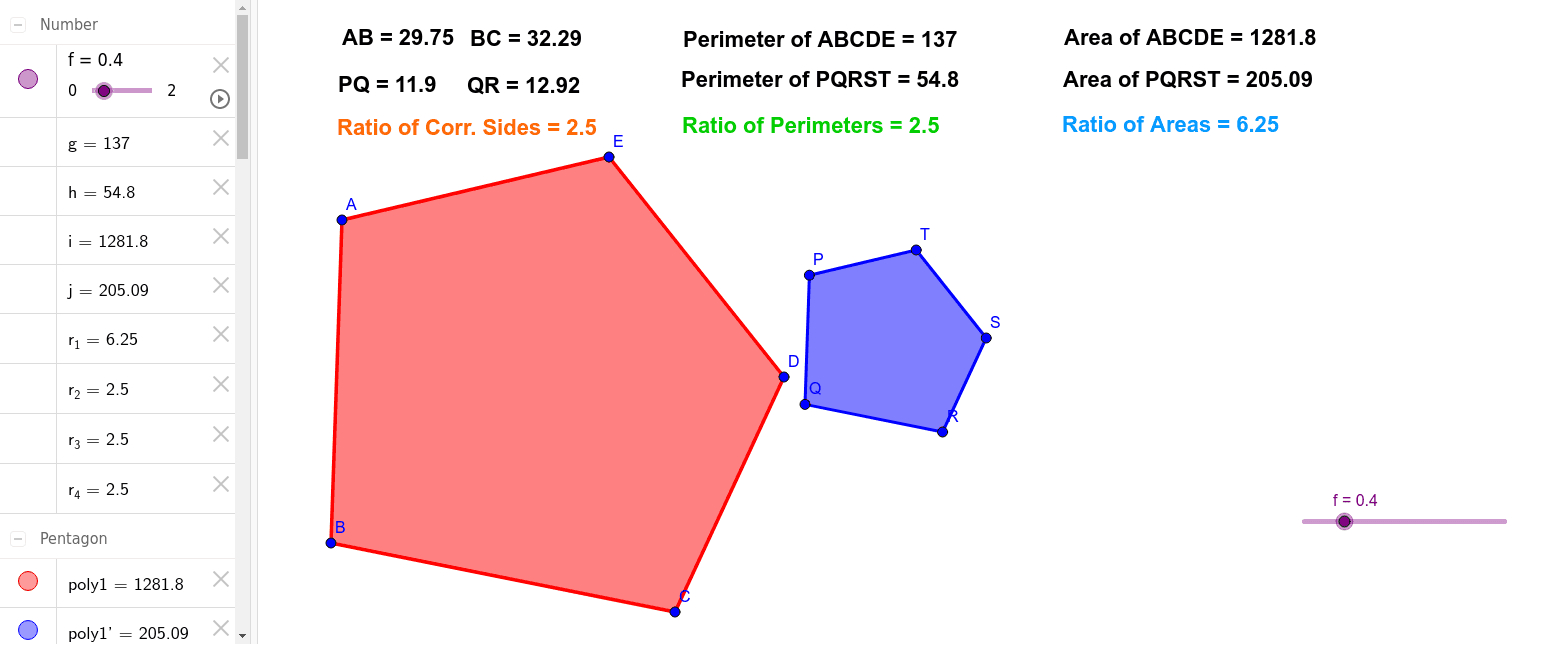
This example demonstrates the construction and properties of similar polygons. It involves core mathematical concepts such as polygons, similarity transformations, ratio relationships, and calculations of perimeter and area. GeoGebra commands and objects used include Polygon, Dilate, PointIn, Perimeter, and Area. It is suitable for high school mathematics education, helping students understand the criteria and properties of similar figures, as well as the application of transformations in geometry.
GeoGebra Commands & Parameters
Polygon(A, B, C, D, E) → poly1, a, b, c, d, eDilate(A, f, F) → PDilate(B, f, F) → QDilate(C, f, F) → RDilate(D, f, F) → SDilate(E, f, F) → TPolygon(P, Q, R, S, T) → poly1', a', b', c', d', e'PointIn(poly1) → Pointpoly1PointIn(poly1') → Pointpoly1'Perimeter(poly1) → gPerimeter(poly1') → hArea(poly1) → iArea(poly1') → j
AI Drawing Prompt Reference
Draw two similar pentagons. First, create a pentagon using points A, B, C, D, and E. Then, perform a similarity transformation on this pentagon through point F to get a new pentagon. Next, select a point inside each pentagon. Finally, calculate the perimeters and areas of the two pentagons.
The prompt above was compiled from the original drawing commands and is for reference only.