
Product and Quotient Rule Derivatives Drill
Loading the math board and drawing, please wait…
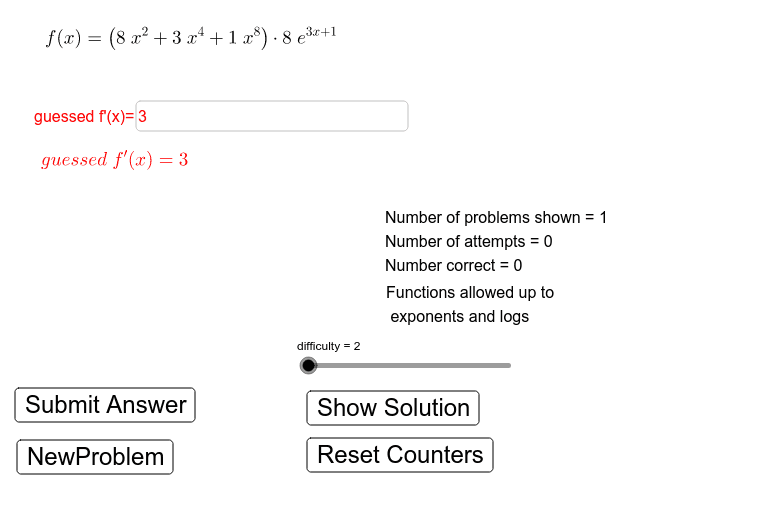
This example demonstrates the application of product and quotient rules for derivative calculations, visualizing the process and function behavior changes. Core math concepts include derivatives, product rule, quotient rule, and function graphing. GeoGebra commands like RandomElement, Random, Shuffle, Element, Simplify, If, and Textfield are used for function generation, random selection, and conditional logic. Suitable for high school and above students to reinforce derivative skills and understand function properties.
GeoGebra Commands & Parameters
RandomElement({true, false}) → productQuotientRandom(1, 4) → Function2ChoiceRandom(1, 4) → Function1ChoiceShuffle({2, 3, 4, 5, 6, 7, 8, 9}) → exponentListElement(exponentList, 2) → n2Element(exponentList, 1) → n1Element(exponentList, 3) → n3Shuffle({1, 2, 3, 4, 5, 6, 7, 8, 9}) → scalerListElement(scalerList, 2) → m2Element(scalerList, 1) → m1Element(scalerList, 3) → m3Simplify((m1 * exp(x)) + (m2 * n2^(x)) + (m3 * log(x))) → exponential4Simplify((m2 * x) + m3) → LinearFunctionSimplify((m1 * cos(LinearFunction(x)))) → trig2Simplify((m1 * tan(LinearFunction(x)))) → trig4Simplify((m1 * sqrt(LinearFunction(x)))) → algebraic3Simplify((m1 * ℯ^(LinearFunction(x)))) → exponential1Simplify((m1 * sin(LinearFunction(x)))) → trig1Shuffle(Sequence[difficulty]) → typeListElement(typeList, 2) → Function2Choice2Element(FullFunctionList, Function2Choice2, Function2Choice) → SecondFunctionElement(typeList, 1) → Function1Choice2Element(FullFunctionList, Function1Choice2, Function1Choice) → FirstFunctionIf(productQuotient, ProductFunction, QuotientFunction) → OriginalFunctionTextfield(GuessedDerivative) → guessedDerivativeBoxRandom(2, 9) → nElement(exponentList, 4) → n4Element(exponentList, 5) → n5Element(scalerList, 4) → m4
AI Drawing Prompt Reference
Create a practice diagram for derivative drills focusing on the product and quotient rules. The diagram shows two randomly generated functions, one multiplied or divided by the other, forming a composite function. An input box is provided for the user to enter a guessed derivative. The graph displays the original function curve and dynamically updates the derivative curve based on the input, with key points highlighted. The layout is clean and educational, emphasizing function behavior and derivative calculation.
The prompt above was compiled from the original drawing commands and is for reference only.