
Problem 32 - Translations of Polynomial Functions
Loading the math board and drawing, please wait…
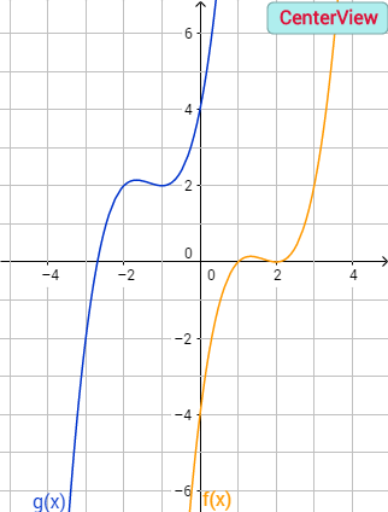
This GeoGebra example demonstrates the translation of polynomial functions in the plane, showing how the graph shifts horizontally and vertically using interactive buttons and sliders. The core mathematical concepts include function translation, polynomial functions, vertex movement, and intersections with axes. Construction highlights: the Polynomial command is used to define the function, multiple buttons (button1 to button5) and sliders control translation parameters, and text objects (text1 to text12) display expressions and key values. Additional geometric shapes like squares and quadrilaterals support visualization. Suitable for high school or pre-calculus students learning function transformations, and for teachers to illustrate the effect of translations on polynomial graphs.
GeoGebra Commands & Parameters
Polynomial((((f_1(x) * f_2(x)) * f_3(x)) * f_4(x))) → fPolynomial(f(x - a) + b) → g_4
AI Drawing Prompt Reference
Draw the graph of a polynomial function, showing its horizontal and vertical translations. Use sliders to control the translation parameters and buttons to adjust the function expressions. Display the original and translated graphs, the movement path of the vertex, and the intersections with the axes. Include text annotations for key expressions and values, and add geometric shapes like squares and quadrilaterals for visualization.
The prompt above was compiled from the original drawing commands and is for reference only.