
Probability Wheel
Loading the math board and drawing, please wait…
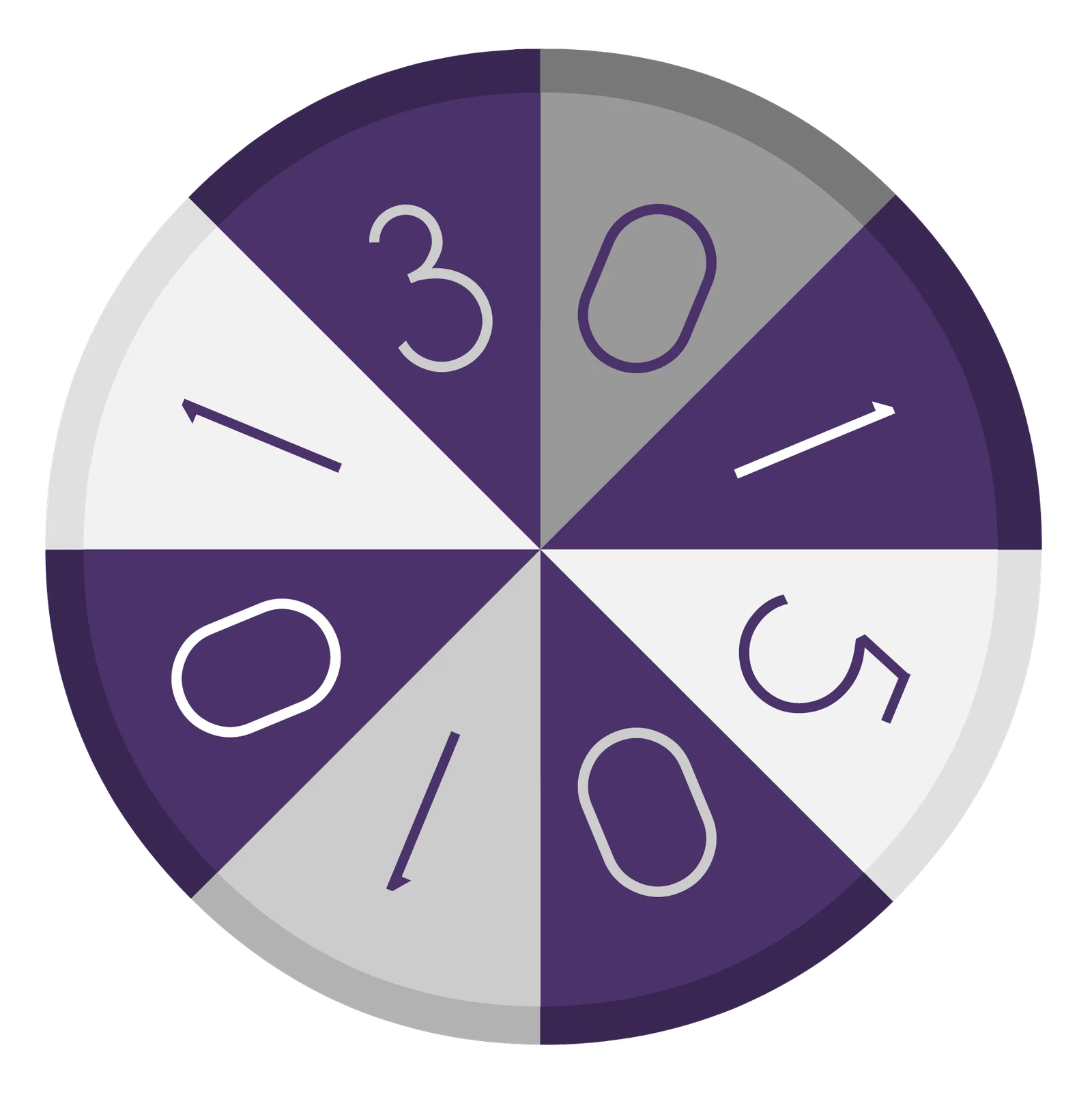
This example demonstrates an interactive probability wheel, illustrating probability distributions and random events. Core math concepts include probability, geometric transformations, and random number generation. Construction highlights the use of GeoGebra's Random command for randomness, If command for conditional logic, and Rotate command for transformations; objects include A, b, c, button1, C, D, wheel, I, a, wheel', GRBY, R, G, B, Y, text1, text2, text3, text4. Suitable for high school mathematics teaching, demonstrating probability statistics and geometric transformations.
GeoGebra Commands & Parameters
Random(721, 1079) → bIf(764 < b < 766, b + 1, If[809 < b < 811, b + 1, If[854 < b < 856, b + 1, If[899 < b < 901, b + 1, If[944 < b < 946, b + 1, If[989 < b < 991, b + 1, If[1034 < b < 1036, b + 1, If[1079 < b < 1081, b + 1, b]]]]]]]) → cRotate(wheel, a°, I) → wheel'If(765 > c > 720, 0, If[810 > c > 765, 1, If[855 > c > 810, 5, If[900 > c > 855, 0, If[945 > c > 900, 1, If[990 > c > 945, 0, If[1035 > c > 990, 1, If[1080 > c > 1035, 3]]]]]]]) → RIf(765 > c > 720, 1, If[810 > c > 765, 3, If[855 > c > 810, 0, If[900 > c > 855, 1, If[945 > c > 900, 5, If[990 > c > 945, 0, If[1035 > c > 990, 1, If[1080 > c > 1035, 0]]]]]]]) → GIf(765 > c > 720, 5, If[810 > c > 765, 0, If[855 > c > 810, 1, If[900 > c > 855, 0, If[945 > c > 900, 1, If[990 > c > 945, 3, If[1035 > c > 990, 0, If[1080 > c > 1035, 1]]]]]]]) → BIf(765 > c > 720, 1, If[810 > c > 765, 0, If[855 > c > 810, 1, If[900 > c > 855, 3, If[945 > c > 900, 0, If[990 > c > 945, 1, If[1035 > c > 990, 5, If[1080 > c > 1035, 0]]]]]]]) → Y
AI Drawing Prompt Reference
Create an interactive probability wheel to illustrate different probability distributions and random events. The wheel simulates random number generation through rotation and color changes, applying conditional logic to distinguish different regions and geometric transformations. The wheel has multiple sectors, each representing different probability values, distinguished by color. First, generate a random number to determine the rotation angle and displayed color of the wheel, resulting in a dynamic probability display.
The prompt above was compiled from the original drawing commands and is for reference only.