
Probability Exercise 5 for Grade 9
Loading the math board and drawing, please wait…
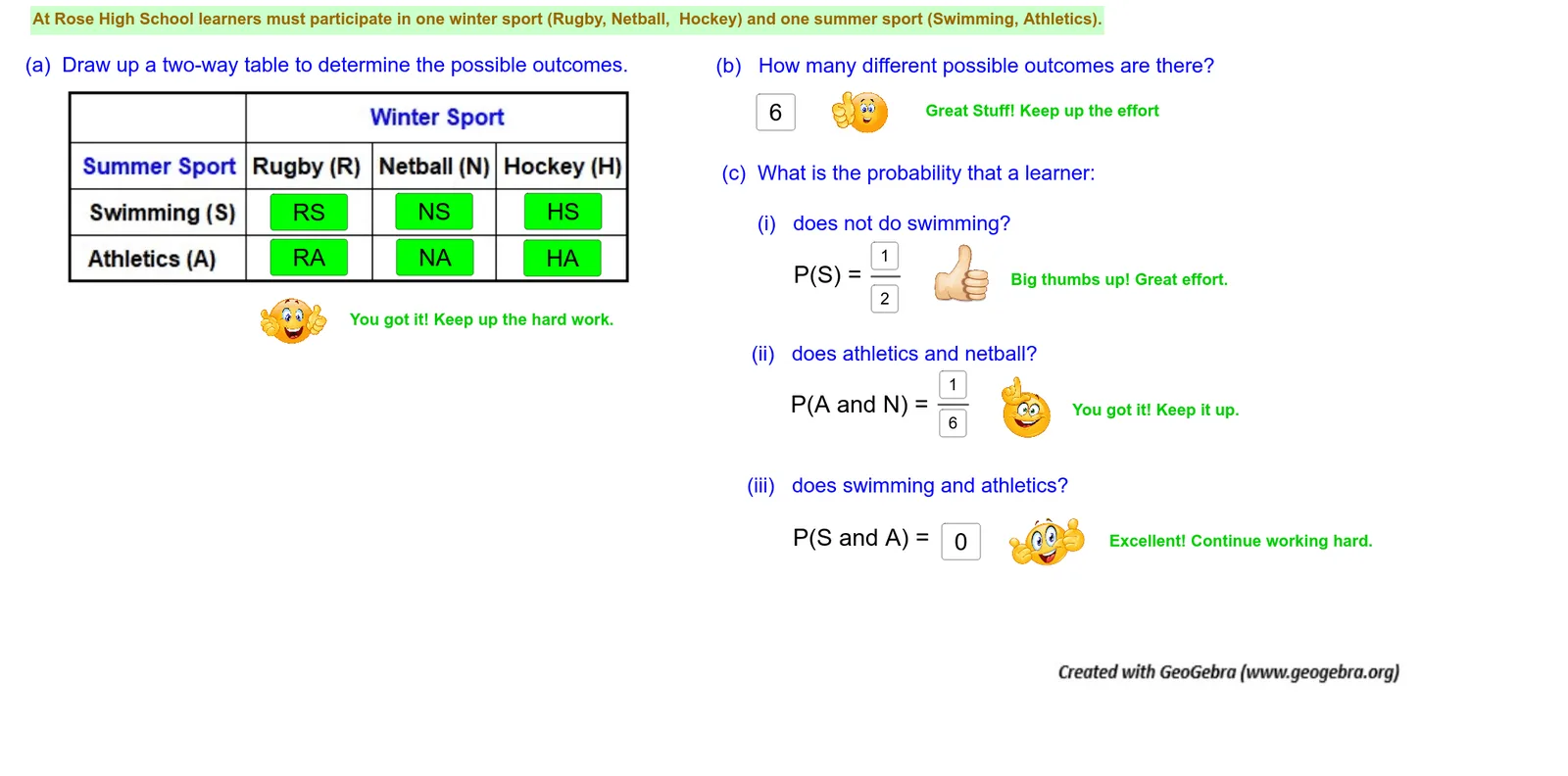
This example demonstrates probability calculations with two tables. It involves core concepts of probability and statistics, guiding students through probability calculations with input boxes and text fields. The construction summary mentions commands like Textfield, Segment, InputBox, etc. It is suitable for Grade 9 students to practice probability calculations.
GeoGebra Commands & Parameters
Textfield(text31) → InputBox8Textfield(text19) → InputBox5Textfield(text46) → InputBox9Textfield(text41) → InputBox6Textfield(text16) → InputBox7Textfield(text81) → InputBox18Textfield(text85) → InputBox20Textfield(text6) → InputBox1Textfield(text28) → InputBox2Textfield(text51) → InputBox3Segment(A_6, B_6) → fTextfield(text58) → InputBox4Textfield(text59) → InputBox10Segment(C_6, D_6) → g
AI Drawing Prompt Reference
Create a probability exercise diagram with two tables, input boxes for data entry, and line segments to represent probability relationships. Start by drawing the tables and input boxes, then connect the segments to show probability calculations, suitable for 9th-grade students to understand probability and statistics concepts.
The prompt above was compiled from the original drawing commands and is for reference only.