
Prime & Composite Numbers by Alex CHIK
Loading the math board and drawing, please wait…
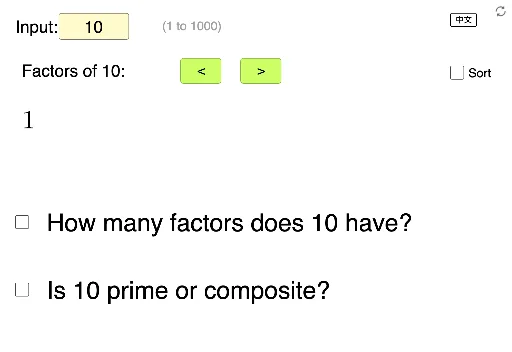
This example demonstrates the concepts of prime and composite numbers. By inputting an integer, it can determine whether it is a prime or composite number and show its factorization. Commands used include Textfield, Reverse, KeepIf, Flatten, If, Sequence, Length, and Sort. Suitable for students from upper elementary to middle school to learn about prime and composite numbers.
GeoGebra Commands & Parameters
Textfield(n) → InputBox1Reverse(KeepIf[IsInteger[k], k, Sequence[n / i, i, floor(sqrt(n)) + 1, n]]) → l1KeepIf(IsInteger[k], k, Sequence[n / i, i, 1, floor(sqrt(n))]) → l2Flatten(Zip[{a, b}, a, l1, b, l2]) → l3If(IsInteger[sqrt(n)], Append[l3, sqrt(n)], l3) → listFactorSequence(Text[listFactor(i)] + "\,,\," + (If[Mod[i, 10] ≟ 0, "\\", ""]), i, 1, t) → listFactorTextLength(listFactor) → fSort(listFactor) → listFactorSortSequence(Text[listFactorSort(i)] + "\,,\," + (If[Mod[i, 10] ≟ 0, "\\", ""]), i, 1, t) → listFactorTextSort
AI Drawing Prompt Reference
Create a prime factorization diagram for an integer n. Input an integer n, and the program will determine if it is a prime or composite number and show its factorization. First, find all factors of n, then filter out the integer factors, separate the prime factors from the non-prime factors, merge them to get the complete list of factors, and finally list all factors in order, with a line break after every 10 factors if there are more than 10.
The prompt above was compiled from the original drawing commands and is for reference only.