
Quiz on Arithmetic Operations of Fractions
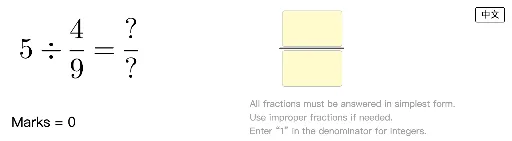
Loading the math board and drawing, please wait…
This quiz demonstrates arithmetic operations of fractions through geometric construction and calculation. Key mathematical concepts include fraction operations, geometric construction, and inequalities. Construction involves GeoGebra commands like Random, FractionText, and InputBox. Suitable for middle school students or those needing practice in fraction arithmetic.
GeoGebra Commands & Parameters
Random(2, 12) → d1Random(2, 9) → mRandomUniform(0, 1) → probRandom(2, 12) → d2Random(1, d1 - 1) → n1Random(1, d2 - 1) → n2If(prob ≤ 0.6, qList(1, 1), prob ≤ 0.8, qList(2, 1), qList(3, 1)) → f1If(prob ≤ 0.6, qList(1, 2), prob ≤ 0.8, qList(2, 2), qList(3, 2)) → f2FractionText(f1) → textF1FractionText(f2) → textF2If(prob ≤ 0.8, Random[1, 4], RandomElement[{1, 3, 4}]) → qtypeIf(qtype ≟ 1, "+", qtype ≟ 2, "-", qtype ≟ 3, "×", qtype ≟ 4, "÷") → operationIf(qtype ≟ 1, f1 + f2, qtype ≟ 2, f1 - f2, qtype ≟ 3, (f1 * f2), qtype ≟ 4, f1 / f2) → ansFractionText(ans) → textAnsTextfield(input1) → InputBox1Textfield(input2) → InputBox2Denominator(ans) → ans2Numerator(ans) → ans1Segment(A, B) → f
AI Drawing Prompt Reference
Please draw a graphic that demonstrates fraction operations. First, generate two random fractions f1 and f2. Then, based on a randomly generated operator (+, -, ×, ÷), calculate the result ans of these two fractions. Display the result ans, and show input boxes InputBox1 and InputBox2. Also, display the numerator ans1 and denominator ans2 of the result ans. Ensure the graphic is clear and includes all key elements.
The prompt above was compiled from the original drawing commands and is for reference only.