
Positive Integer Mixed Operations Quiz
Loading the math board and drawing, please wait…
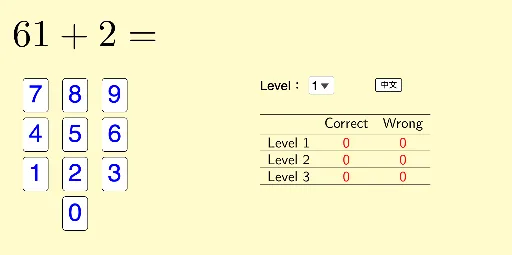
This example demonstrates mixed operations with positive integers, including addition, subtraction, multiplication, and division. Using GeoGebra commands like Random, RandomElement, and If, it dynamically generates questions and checks answers. Suitable for high-grade primary and junior high school students for math practice.
GeoGebra Commands & Parameters
Random(1, 9) → m_2Random(1, 9) → m_1Random(11, 100) → p_1Random(9, p_1 - 1) → p_2Random(1, 10) → b_8Random(1, 10) → a_8Random(2, 10) → a_7Random(1, 10) → c_7Random(1, 10) → b_6Random(1, 10) → a_6Random(1, (a_6 * b_6)) → c_6Random(1, 10) → c_5Random(1, 10) → b_5Random(2, 10) → b_4Random(1, b_4 - 1) → c_4Random(2, 9) → c_3Random(1, suma3b3) → b_3Random(2, 9) → c_1Random(1, 9) → b_2RandomElement({"+", "-"}) → sIf(s ≟ "+", Random[1, 10], Random[1, b_8]) → c_8If(s ≟ "+", Random[1, 10], Random[1, a_7]) → b_7If(s ≟ "+", Random[1, 20], Random[(b_5 * c_5), (b_5 * c_5) + 10]) → a_5If(s ≟ "+", 1, -1) → s'If(s ≟ "+", Random[1, 20], Random[1, a_2 / b_2]) → c_2If(s ≟ "+", Random[1, 20], Random[b_1 / c_1, b_1 / c_1 + 20]) → a_1SelectedIndex(listLevel) → levelIf(level ≟ 3, Random[1, 8], level ≟ 1, Random[9, 10], level ≟ 2, Random[11, 12]) → qIf(q ≟ 1, ans1, q ≟ 6, ans6, q ≟ 7, ans7, q ≟ 8, ans8, q ≟ 9, ans9, q ≟ 10, ans10, q ≟ 2, q ≟ 11, ans11, q ≟ 12, ans12, ans2, q ≟ 3, ans3, q ≟ 4, ans4, q ≟ 5, ans5) → ansTableText({{" ", If[lang ≟ 1, "答對", "Correct"], If[lang ≟ 1, "答錯", "Wrong"]}, {If[lang ≟ 1, "\text{程度 1}", "\text{Level 1}"], "\red{" + (Text[numCorrect1]) + "}", "\red{" + (Text[numWrong1]) + "}"}, {If[lang ≟ 1, "\text{程度 2}", "\text{Level 2}"], "\red{" + (Text[numCorrect2]) + "}", "\red{" + (Text[numWrong2]) + "}"}, {If[lang ≟ 1, "\text{程度 3}", "\text{Level 3}"], "\red{" + (Text[numCorrect3]) + "}", "\red{" + (Text[numWrong3]) + "}"}}, "c_h") → textMarks
AI Drawing Prompt Reference
Create a math practice interface showing mixed operations with positive integers, including addition, subtraction, multiplication, and division. The interface dynamically generates problems, such as randomly selecting two numbers between 1 and 9 for addition or subtraction, or two numbers between 1 and 10 for multiplication or division, and displays the results. The interface is divided into three difficulty levels, each showing problems of varying difficulty, with real-time counts of correct and wrong answers for each level.
The prompt above was compiled from the original drawing commands and is for reference only.