
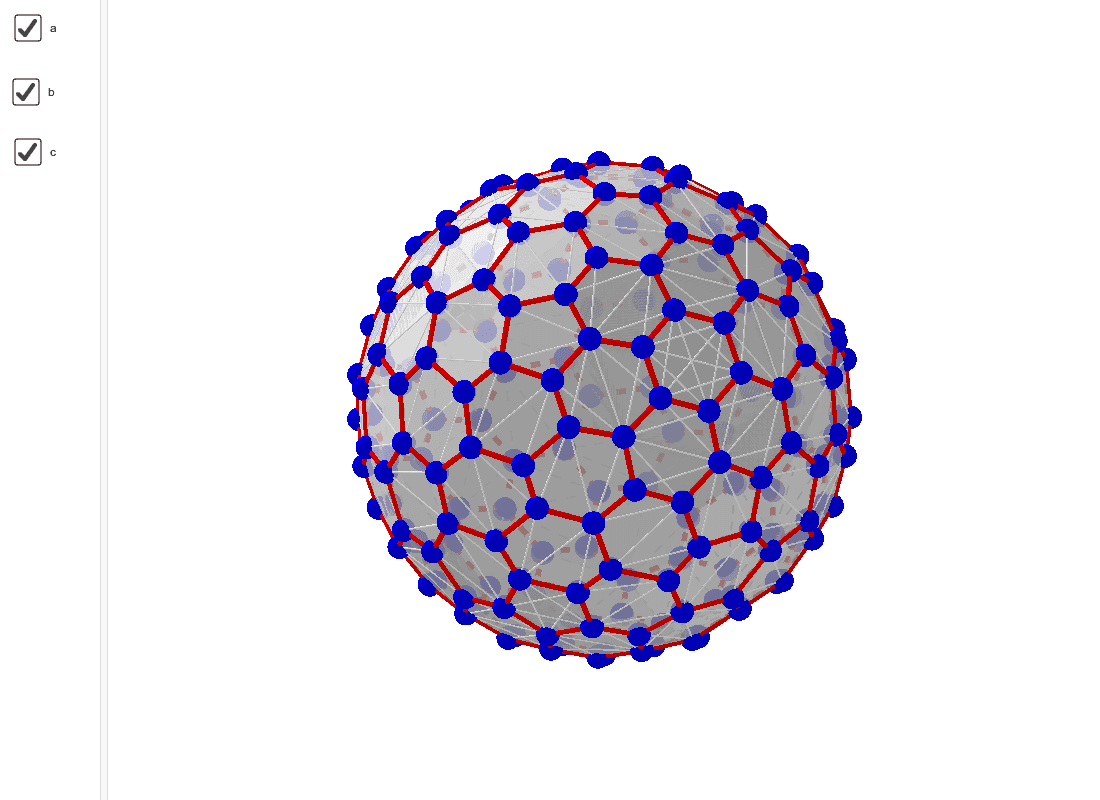
Polyhedron Computer Constructions (n=100)
Loading the math board and drawing, please wait…
This example demonstrates how to construct a polyhedron with 100 vertices using GeoGebra. Core mathematical concepts involved include combinatorics, sequences and series, linear regression, and expected value. Key construction points involve using GeoGebra commands such as Join, KeepIf, Length, Max, Min, and Sequence, along with objects like A00D, A0D, l00d, lr1, lär, max, min, m25cfD, a, b, c, and poly000aD. Suitable for high school and above students learning complex geometric structures through computer-aided design.
GeoGebra Commands & Parameters
Join(Sequence[Sequence[Segment[Element[A0D, i], Element[A0D, j]], j, i + 1, 196], i, 1, 195]) → l00dKeepIf(x < 0.26, l00d) → lr1Length(lr1) → lärMax(lr1) → maxMin(lr1) → minSequence(Polygon[Element[A0D, Element[Element[m25cfD, f], 1]], Element[A0D, Element[Element[m25cfD, f], 2]], Element[A0D, Element[Element[m25cfD, f], 3]]], f, 1, 569) → poly000aD
AI Drawing Prompt Reference
Construct a polyhedron with 100 vertices, whose surface is composed of many triangular faces. Start by selecting all possible edges from the vertex set, then filter those edges with length less than 0.26. Using these filtered edges and the vertices, generate 569 triangular faces, each connecting three vertices. The result is a dense three-dimensional mesh with intricate edge and face interconnections, resembling a polyhedral or lattice structure.
The prompt above was compiled from the original drawing commands and is for reference only.