
Polygon Perimeter Calculation
Loading the math board and drawing, please wait…
This example demonstrates how to construct a polygon and calculate its perimeter using GeoGebra. Key math concepts include perimeter, vectors, and coordinate geometry. Construction involves commands like Point, Polygon, Vector, Segment. Suitable for middle school and above students to learn polygon properties.
GeoGebra Commands & Parameters
Point(Ray[A + (0, 1), A + (0, 2)]) → DPolygon(D, A, B, C) → q1, a, b, c, dPoint(Ray[E + (0, 1), E + (0, 2)]) → HPolygon(H, E, F, G) → q2, e, f, g, hVector(I, J) → iVector(J, I) → uVector(K, L) → vVector(L, K) → wSegment(I + (0, 0.5), I - (0, 0.5)) → jSegment(J + (0, 0.5), J - (0, 0.5)) → kSegment(K + (0, 0.5), K - (0, 0.5)) → lSegment(L + (0, 0.5), L - (0, 0.5)) → mVector(M, N) → nVector(N, M) → pSegment(M + (0.5, 0), M - (0.5, 0)) → qSegment(N + (0.5, 0), N - (0.5, 0)) → rVector(O, P) → sVector(P, O) → tSegment(P + (0.5, 0), P - (0.5, 0)) → f_1Segment(O + (0.5, 0), O - (0.5, 0)) → g_1Vector(Q, R) → u_1Vector(R, Q) → v_1Segment(Q + (0.5, 0), Q - (0.5, 0)) → h_1Segment(R + (0.5, 0), R - (0.5, 0)) → i_1Vector(S, T) → w_1Vector(T, S) → a_1Segment(S + (0, 0.5), S - (0, 0.5)) → j_1Segment(T + (0, 0.5), T - (0, 0.5)) → k_1Segment(S, T) → l_1Segment(Q, R) → m_1Segment(I, J) → n_1Segment(M, N) → p_1
AI Drawing Prompt Reference
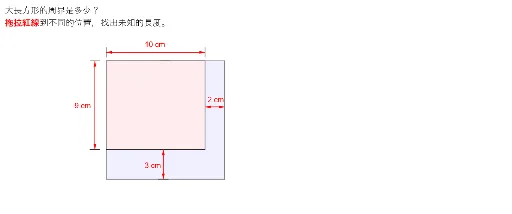
Draw a polygon and calculate its perimeter. Start by creating two rays extending upwards from points, then place points on these rays. Construct two polygons using these points. Next, create several vectors to indicate directions and draw corresponding line segments. Finally, combine these segments to form the boundary of the polygon, labeling the perimeter.
The prompt above was compiled from the original drawing commands and is for reference only.