
Point-to-Line Distance and Foot of Perpendicular
Loading the math board and drawing, please wait…
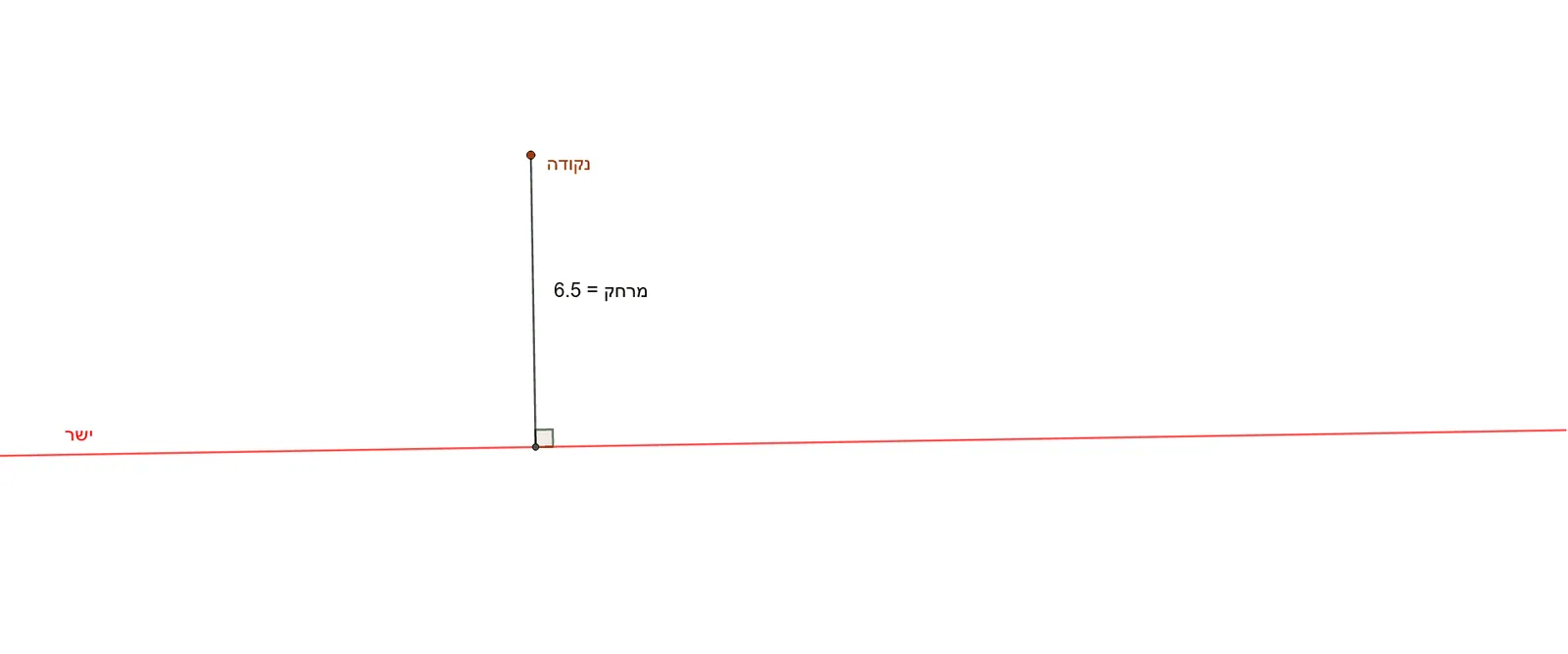
This example demonstrates how to construct the perpendicular segment from a point to a given line and measure its length using GeoGebra. The core mathematical concept is the distance from a point to a line, defined as the length of the perpendicular segment, involving perpendicularity, intersection, and angle measurement. Construction steps include: using the Line command to create the base line, OrthogonalLine to draw the perpendicular through the point, Intersect to find the foot of the perpendicular, Segment to connect the point and foot, and Angle to verify the right angle. The final objects D and the distance value display the result. Suitable for middle school geometry lessons to intuitively understand distance, perpendicular properties, and basic GeoGebra construction tools.
GeoGebra Commands & Parameters
Line(A, B) → ישרOrthogonalLine(נקודה, ישר) → gIntersect(ישר, g) → DSegment(נקודה, D) → מרחקAngle(A, D, נקודה) → α