
Point-Slope Exercise
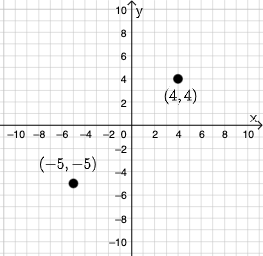
Loading the math board and drawing, please wait…
This example demonstrates how to draw a line using the point-slope form equation. Key mathematical concepts include linear equations and functions. Using GeoGebra commands such as Textfield, InputBox, and eq1, users can dynamically adjust the slope and y-intercept of the line. Suitable for middle school and above students to learn linear equations and geometric construction.
GeoGebra Commands & Parameters
Textfield(a) → InputBox1Textfield(b) → InputBox2Textfield(c) → InputBox3Textfield(d) → InputBox4Textfield(f) → InputBox5Textfield(g) → InputBox6Textfield(h) → InputBox7Textfield(i) → InputBox8Mode(l1) → l2
AI Drawing Prompt Reference
Create a point-slope line exercise. Add interactive text inputs for four parameters: a, b, c, d, and also five additional values: f, g, h, i, used to define the line in point-slope form. Construct the line so it updates dynamically based on these parameters, reflecting changes in the line’s slope and intercept. Display the resulting line together with the input controls, so learners can observe how the linear function changes when the parameters are adjusted.
The prompt above was compiled from the original drawing commands and is for reference only.