
Point Coordinates Control Line Parameters
Loading the math board and drawing, please wait…
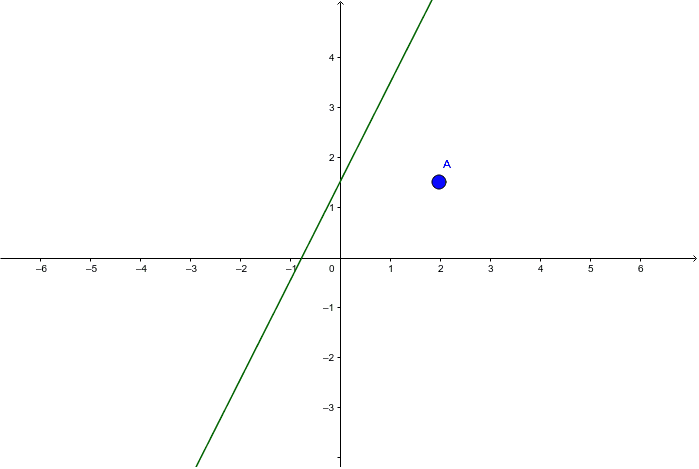
This example demonstrates how point coordinates can be used to control the parameters of a line, showing how to dynamically adjust the position and direction of a line based on the point's location. Key mathematical concepts include coordinate geometry and linear equations. Using point A and function f, a dynamic line is constructed. Suitable for high school mathematics education, particularly in the areas of coordinate geometry and function graphs.
GeoGebra Commands & Parameters
Point A(1.98, 1.52)f(x) = (x(A) * x) + y(A)
AI Drawing Prompt Reference
Draw a line whose position and direction are controlled by point A(1.98, 1.52). First, create point A, then generate the line equation y = 1.98x + 1.52 dynamically based on point A's coordinates, demonstrating how point coordinates affect the line parameters.
The prompt above was compiled from the original drawing commands and is for reference only.