
Piecewise Function by Lisa Dailey
Loading the math board and drawing, please wait…
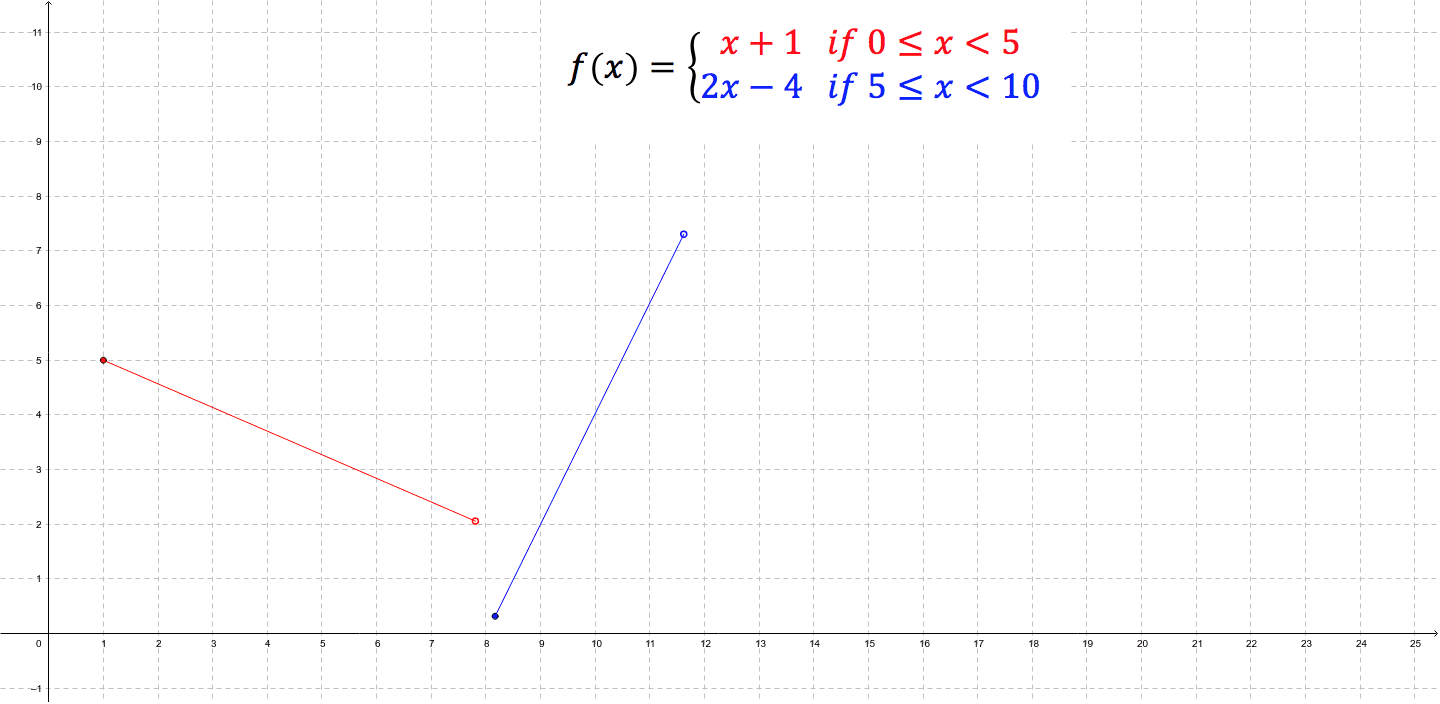
This example demonstrates the dynamic changes of a piecewise function by dragging line segments. A piecewise function is a function defined by multiple sub-functions, each applying to a certain interval of the independent variable. This example uses the Segment command to construct line segments, suitable for students at middle school level and above to learn about piecewise functions.
GeoGebra Commands & Parameters
Segment(C, D) → bSegment(A, B) → a
AI Drawing Prompt Reference
Draw a graph of a piecewise function consisting of two line segments on a coordinate plane. First, place two points and connect them with a straight line segment to represent the function over one interval. Then, place two other points and connect them with another straight line segment to represent the function over a different interval. The two segments are not connected, showing the piecewise nature. The segments should be draggable to dynamically change the function's shape. Include coordinate axes and grid lines for reference.
The prompt above was compiled from the original drawing commands and is for reference only.