
Perimeter & Circumference Demo
Loading the math board and drawing, please wait…
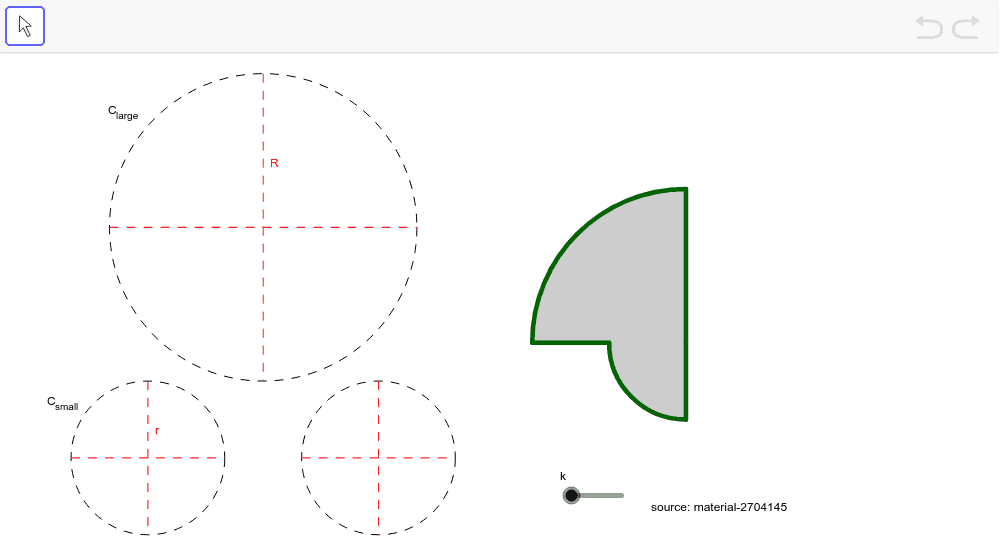
This example demonstrates how to construct geometric figures like segments, circles, sectors, arcs, lines, and perpendicular lines using GeoGebra commands such as Segment, Circle, CircleSector, CircleArc, Line, OrthogonalLine, Intersect, and Point. It focuses on calculating perimeters and circumferences, involving core mathematical concepts like perimeter, circumference, logarithm, indefinite integral, confidence interval, fractal geometry, and cylinder. The construction highlights the use of various GeoGebra objects and commands, making it suitable for high school and advanced learners exploring geometric constructions and calculations.
GeoGebra Commands & Parameters
Segment((x(F) - 2, y(F)), (x(F) + 2, y(F))) → aSegment((x(G) - 1, y(G)), (x(G) + 1, y(G))) → bCircle(F, 2) → k_1Circle(G, 1) → pSegment((x(F), y(F) + 2), (x(F), y(F) - 2)) → iSegment((x(G), y(G) + 1), (x(G), y(G) - 1)) → jCircle(H, 1) → qSegment((x(H) - 1, y(H)), (x(H) + 1, y(H))) → lSegment((x(H), y(H) + 1), (x(H), y(H) - 1)) → mCircleSector(O, B, A) → cCircleSector(O, D, E) → dCircleArc((0, 0), (0, 2), (-2, 0)) → eSegment((-2, 0), (-1, 0)) → fCircleArc((0, 0), (-1, 0), (0, -1)) → gSegment((0, -1), (0, 0)) → hSegment((0, 0), (0, 2)) → nCircle(X, 1) → rLine(X, xAxis) → sOrthogonalLine(X, s) → tIntersect(r, s, 2) → CIntersect(r, t, 2) → ICircleArc(X, C, I) → c_1Point(c_1) → YSegment(X, Y) → a_1