
Unit Circle Tangent
Loading the math board and drawing, please wait…
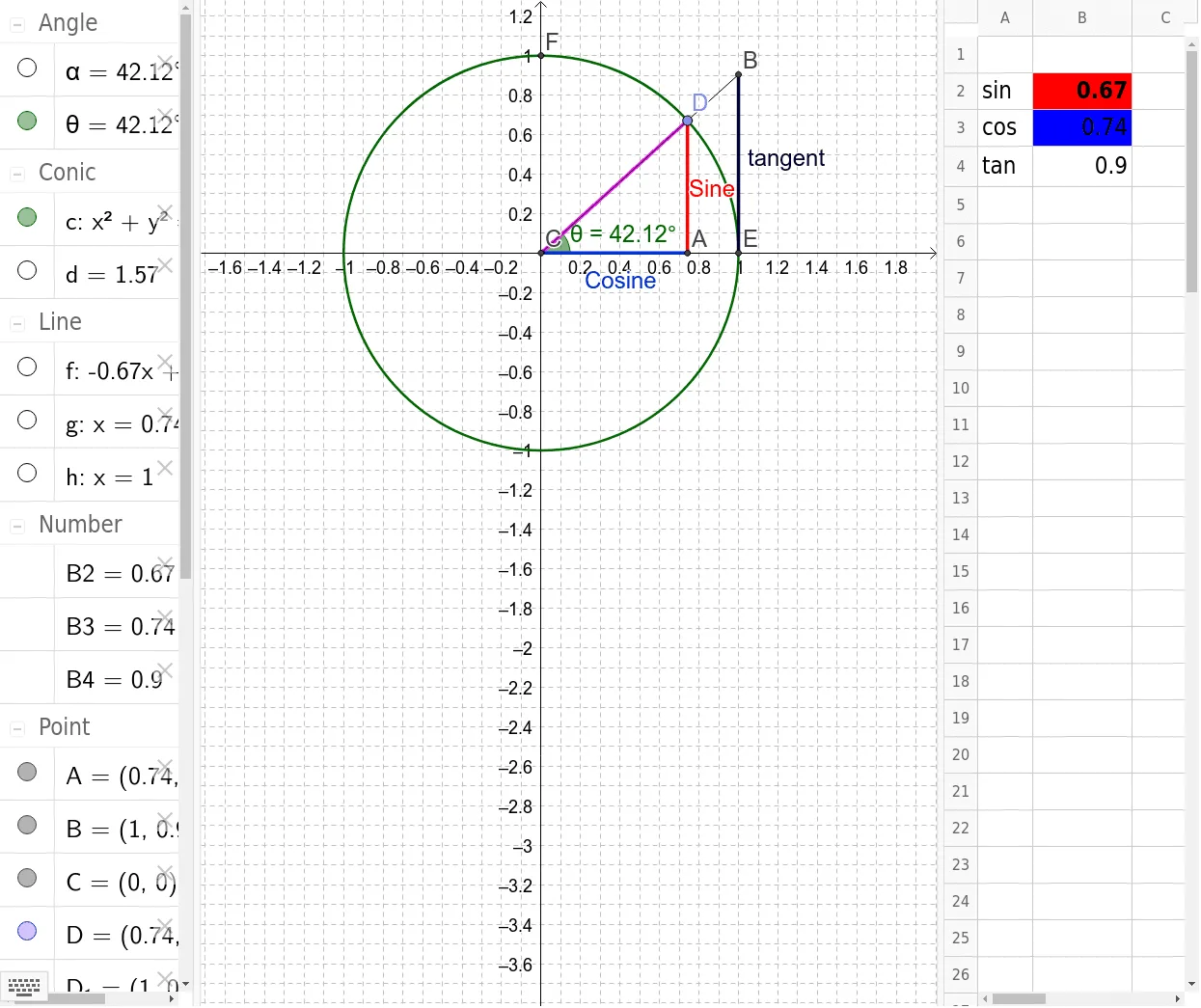
This example demonstrates the relationship between the tangent line at any angle on the unit circle and its coordinates. Core math concepts include the unit circle, trigonometric functions (sine, cosine, tangent), angles, coordinate geometry, and differential calculus. It uses GeoGebra commands like Intersect, Circle, Point, Segment, OrthogonalLine, Angle, CircleArc, and Line. Suitable for high school students learning trigonometry and its geometric interpretations, or for introductory calculus education.
GeoGebra Commands & Parameters
Intersect(xAxis, yAxis) → CCircle(C, 1) → cPoint(c) → DSegment(D, C) → HypotenuseOrthogonalLine(D, xAxis) → gIntersect(g, xAxis) → ASegment(A, C) → CosineSegment(D, A) → SineAngle(A, C, D) → αIntersect(c, xAxis, 2) → D_1Angle(D_1, C, D) → θIntersect(c, xAxis, 2) → EIntersect(c, yAxis, 2) → FCircleArc(C, E, F) → dLine(C, D) → fOrthogonalLine(E, xAxis) → hIntersect(f, h) → BSegment(C, B) → iSegment(E, B) → jSegment(E, B) → tangent
AI Drawing Prompt Reference
Draw a unit circle, mark the intersection point with the x-axis, draw a line from the origin to any point on the circle as the hypotenuse, then draw perpendicular lines to the x-axis to get the cosine segment and tangent line, and label the angles and tangent point, finally connecting the origin to the tangent point to form the tangent line, demonstrating the relationship between trigonometric functions and geometry.
The prompt above was compiled from the original drawing commands and is for reference only.