
Percent Game
Loading the math board and drawing, please wait…
In collections
Percents, Decimals, Fractions
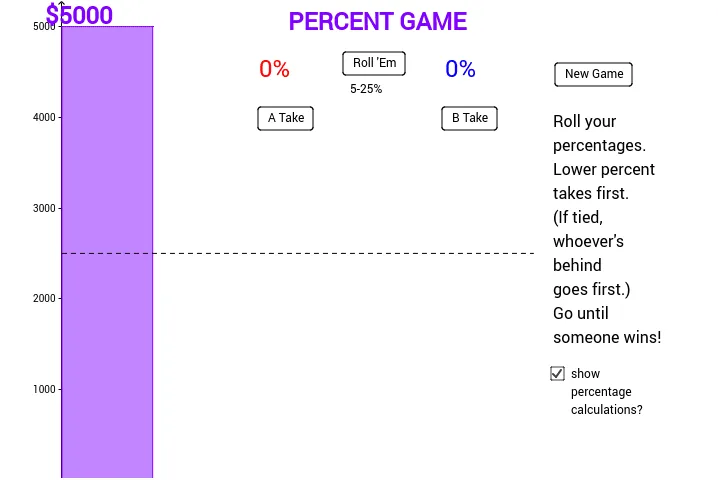
This example demonstrates a quick game for calculating percentages of various quantities using GeoGebra. It involves constructing polygons and segments to simulate a percentage calculation game. Key math concepts include percentage calculations, polygon construction, and basic geometric operations. GeoGebra commands like Polygon and Segment, along with objects such as Total and P, are utilized in the construction. Suitable for middle school and above students for mathematical practice and concept understanding.
GeoGebra Commands & Parameters
Polygon((0, 0), P, (1000, y(P)), (1000, 0)) → poly1, a, p, b, cPolygon((2000, 0), (2000, A), (3000, A), (3000, 0)) → poly2, d, e, f, gPolygon((4000, 0), (4000, B), (5000, B), (5000, 0)) → poly3, h, i, j, kSegment((0, 2500), (5200, 2500)) → l
AI Drawing Prompt Reference
Draw a shape consisting of three rectangles and one horizontal line. The rectangles are positioned below the coordinate plane, with the first rectangle starting at the origin, having a width of 1000 units, and a height determined by point P. The second rectangle is to the right of the first, also 1000 units wide, with a height determined by point A. The third rectangle is to the right of the second, 1000 units wide, with a height determined by point B. All rectangles have their bases on the x-axis. Draw a horizontal line above the shapes connecting points (0, 2500) and (5200, 2500).
The prompt above was compiled from the original drawing commands and is for reference only.