
Percent Estimation
Loading the math board and drawing, please wait…
In collections
Percents Resources
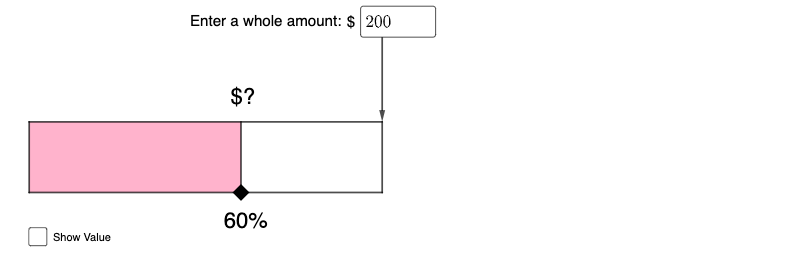
This example demonstrates simple percent estimation. It involves key mathematical concepts such as ratios and percentages. Using GeoGebra commands like Intersect, Point, Segment, etc., users can visually understand how to estimate percentages through geometric shapes. Suitable for middle school mathematics education and learning.
GeoGebra Commands & Parameters
Intersect(xAxis, yAxis) → ATextfield(k) → InputBox1Intersect(xAxis, yAxis) → BPoint(xAxis) → EPoint(yAxis) → ISegment(B, E) → fSegment(E, F) → gSegment(F, I) → hSegment(I, B) → iSegment(J, K) → jPolygon(B, J, K, I) → q1, b, j_1, k_1, i_1Vector(L, M) → u
AI Drawing Prompt Reference
Draw a coordinate plane with the x-axis and y-axis, then choose key points related to these axes. Connect the points in order using line segments so that they form a closed polygonal region, suitable for visual percent estimation. Include the polygon’s vertices coming from the selected axis-associated points and ensure the edges connect consecutively to enclose the shape. Finally, add a vector determined by two of the relevant points to indicate a direction across the plane. Construct in a logical sequence: first place the axis-related points, then draw the segments and polygon, and finish by adding the vector.
The prompt above was compiled from the original drawing commands and is for reference only.