
Pentagon Fence Perimeter Calculation
Loading the math board and drawing, please wait…
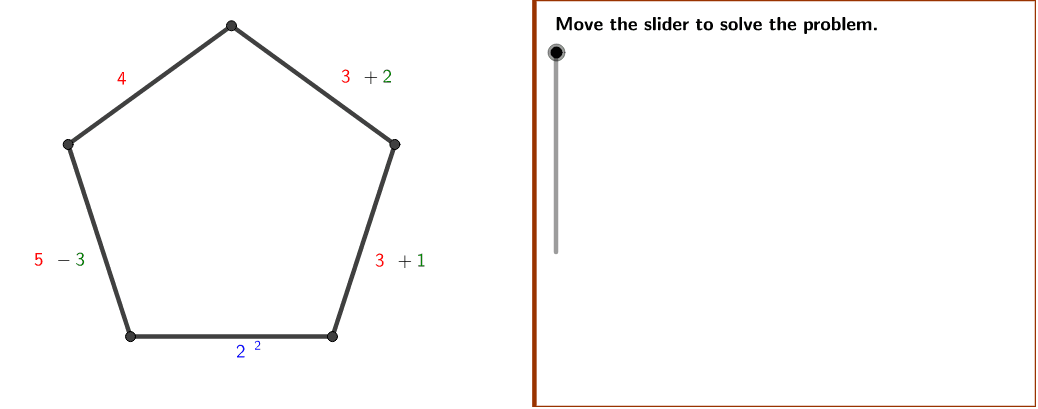
This example demonstrates how to use GeoGebra to draw a pentagon-shaped fence and calculate its perimeter. Key math concepts include polygons, algebraic expressions, perimeter calculation, and optimization problems. Construction highlights Polygon, LinCo, ConstCo, Slider commands/objects. Suitable for high school students learning polygon properties and real-world optimization problems.
GeoGebra Commands & Parameters
Polygon((Edge, y(Corner[1])), Corner[2], Corner[3], (Edge, y(Corner[4]))) → Mask, a, b, c, dPolygon(A, B, 5) → poly1, e, f, g, h, i, C, D, E
AI Drawing Prompt Reference
Draw a pentagon-shaped fence and calculate its perimeter, showcasing key math concepts like polygons, algebraic expressions, perimeter calculation, and optimization problems. First, create a pentagon, then form a star shape based on it, labeling key points and edges, and finally calculate and display the fence's perimeter.
The prompt above was compiled from the original drawing commands and is for reference only.