
Pawn Mathematical Example
Loading the math board and drawing, please wait…
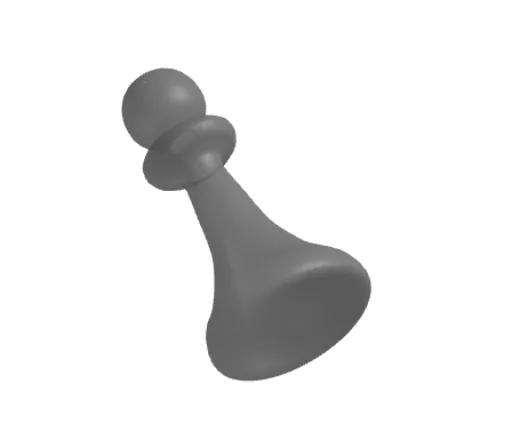
This example demonstrates the construction of a comprehensive mathematical graph involving rotation, quadratic equations, step functions, dilation, boxplots, and random variables using GeoGebra. It covers core concepts like transformations, functions, statistics, and probability. The construction utilizes commands and objects such as Spline, Point, CurveCartesian, and Surface. Suitable for high school students and educators exploring complex mathematical ideas and visualization.
GeoGebra Commands & Parameters
Spline({C, D, E, F, G, H, I, J, K, L, M, N, O, P, Q, R, S, T, U}, 3) → aPoint(yAxis) → VCurveCartesian(a(t / d), t, 0, d) → cSurface(c, (2 * π), yAxis) → b
AI Drawing Prompt Reference
Create a smooth curve that passes through a series of points, forming a fluid interpolation shape. Mark a point on the y‑axis. Then draw a planar curve defined by scaling and parameterizing the first curve, extending from a start to an end parameter. Finally, revolve this planar curve around the y‑axis to produce a three‑dimensional surface of revolution, filling the space. The illustration shows the full construction from a 2D interpolated curve to a 3D rotated surface, including the point on the axis and the relationship between the curves.
The prompt above was compiled from the original drawing commands and is for reference only.