
Partition Line Segments: Interactive Practice
Loading the math board and drawing, please wait…
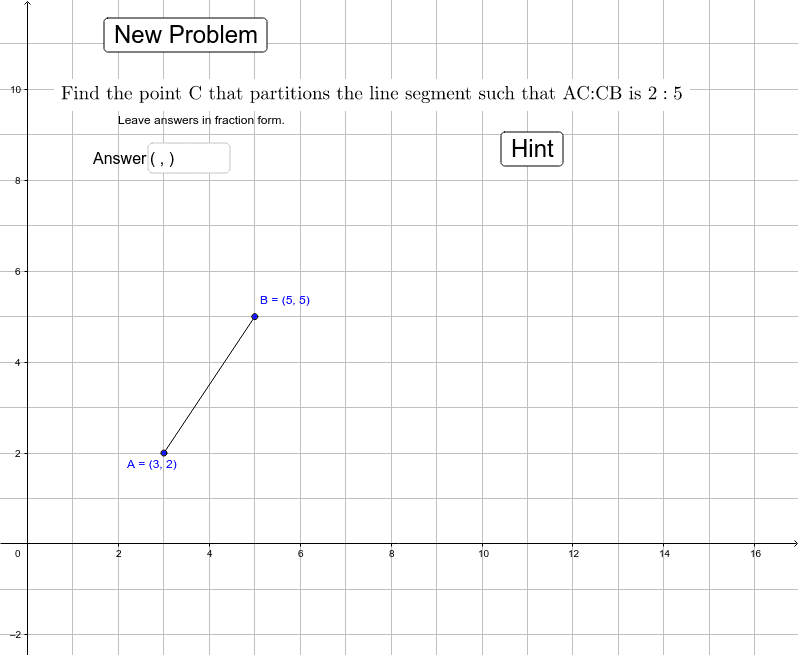
This GeoGebra example demonstrates how to find a point that divides a line segment in a given ratio. It focuses on the concept of section formula in coordinate geometry, where a point P on segment AB satisfies AP:PB = m:n. The construction uses commands such as Random to generate random endpoints, Segment to draw the segment, Textfield and inputBox1 for entering the ratio, Intersect to find intersection points, OrthogonalLine to create perpendicular guides, and Distance to measure lengths for verification. Key objects include points A, B, C, D, E, F, G, segments s, c, b, a, p, q, e, f, g, h, i, j, k, l, and buttons button1 and button2 for refreshing or checking answers. This interactive exercise is suitable for middle or high school students learning about ratios on a line segment, and can be used for classroom demonstrations or self-paced practice.
GeoGebra Commands & Parameters
Random(1, 3) → sRandom(3, 5) → cRandom(4, 6) → bRandom(4, 6) → oRandom(1, 3) → rRandom(1, 3) → nSegment(A, B) → aTextfield(text9) → inputBox1Intersect(e, f) → ESegment(B, E) → gSegment(E, A) → hOrthogonalLine(G, g) → iOrthogonalLine(F, h) → jSegment(G, C) → kSegment(F, C) → lDistance(F, C) → FC
AI Drawing Prompt Reference
Draw a line segment and mark a point on it that divides the segment in a user‑specified ratio entered via a text field. From the division point construct perpendiculars to the two sub‑segments, connect the feet of these perpendiculars to two auxiliary points, then join those auxiliary points to a fixed reference point and measure the distance from one auxiliary point to the reference to verify the ratio.
The prompt above was compiled from the original drawing commands and is for reference only.