
Partial Products of 1-digit by 3-digit
Loading the math board and drawing, please wait…
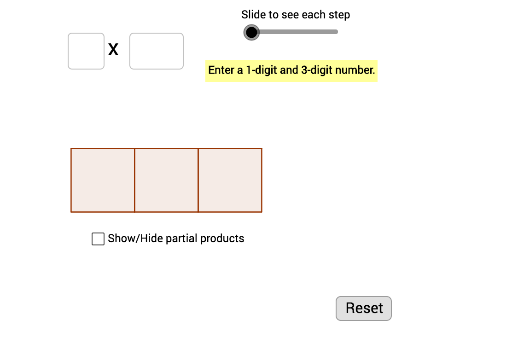
This example demonstrates the step-by-step calculation process of multiplying a 1-digit number by a 3-digit number, visually showing the formation of partial products. Core mathematical concepts include multiplication, arithmetic operations, and matrix applications. It utilizes GeoGebra commands/objects like Vector, Polygon, Random, Intersect, and Textfield. Suitable for middle school mathematics teaching, helping students understand the decomposition of multiplication operations and enhancing computational skills.
GeoGebra Commands & Parameters
Vector(Q, R) → uVector(S, T) → vVector(U, V) → wPolygon(A, B, H, E) → poly1, a, b, h, ePolygon(E, H, I, F) → poly2, e_1, h_1, i, fPolygon(F, I, J, G) → poly3, f_1, i_1, j, gPolygon(B, C, K, H) → poly4, b_1, c, k, h_2Polygon(H, K, L, I) → poly5, h_3, k_1, l, i_2Polygon(I, L, M, J) → poly6, i_3, l_1, m, j_1Polygon(C, D, N, K) → poly7, c_1, d, n, k_2Polygon(B_1, C_1, D_1, E_1) → BoxForAnswer, b_2, c_2, d_1, e_2Random(11, 99) → random2Random(11, 999) → random1Intersect(b, b_1) → F_1Intersect(b_1, c) → G_1Polygon(F_1, G_1, 4) → poly8, p, r, s, t, H_1, I_1Polygon(I_1, H_1, 4) → poly9, a_1, g_1, m_1, n_1, J_1, K_1Polygon(K_1, J_1, 4) → poly10, p_1, q_1, r_1, s_1, L_1, M_1Textfield(inputfactoronetext) → InputFactorOneTextfield(inputfactortwotext) → InputFactorTwo
AI Drawing Prompt Reference
Create a diagram illustrating the step-by-step multiplication of a one-digit number by a three-digit number. The layout features a grid of connected rectangles, each containing numbers or symbols representing partial products. Below the grid, place a separate input box area for the two factors. Include arrows or vectors pointing to different rectangles to indicate the calculation sequence. All rectangles and input boxes should have clear outlines, with a clean, educational style.
The prompt above was compiled from the original drawing commands and is for reference only.