
Parametric Equations of a Line
Loading the math board and drawing, please wait…
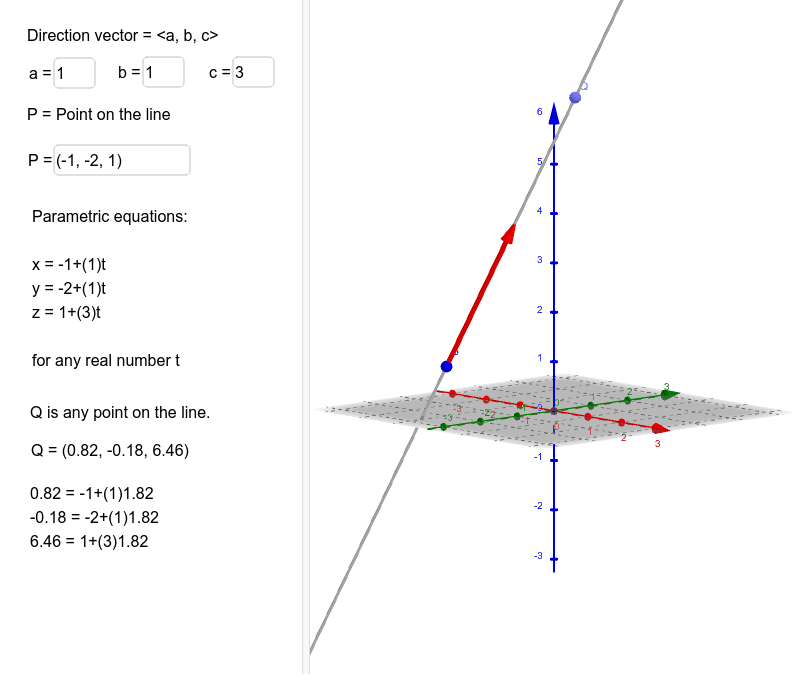
This example demonstrates how to plot a line in 3D space using parametric equations. Key math concepts include parametric equations, vectors, and 3D coordinate systems. GeoGebra commands and objects used in construction are Textfield, Line, Vector, Point, etc., to build the line, vectors, and text inputs. Suitable for high school students and above to learn about the application of parametric equations in spatial geometry.
GeoGebra Commands & Parameters
Textfield(vx) → aTextfield(vy) → bTextfield(vz) → cTextfield(P) → InputBox1Line(P, Vector[(vx, vy, vz)]) → dVector(P, Q_1) → uPoint(d) → Q
AI Drawing Prompt Reference
Plot a line in 3D space using parametric equations, requiring input for the direction vector (components entered in three text fields for x, y, z) and a point on the line (input via another text field), then draw the line and display the direction vector and the point on the line.
The prompt above was compiled from the original drawing commands and is for reference only.