
Parallelogram Symmetry Demo
Loading the math board and drawing, please wait…
In collections
Mapping Diagrams: From AB to C&DE, Resource
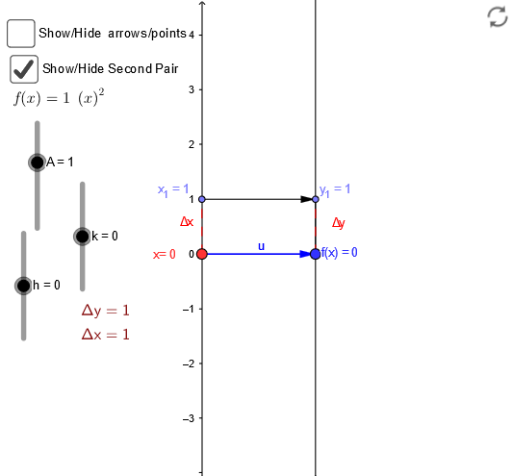
This example demonstrates the symmetry and reflection transformation of a parallelogram. It involves core concepts like vectors, reflection, geometric transformations, and cylinder distributions. Construction highlights include using GeoGebra commands such as Point, Vector, Textfield, Segment, and Sequence. Suitable for high school mathematics teaching to understand spatial geometry and transformations.
GeoGebra Commands & Parameters
Point(yAxis) → A_1Vector(A_1, B) → uTextfield(f) → inputBox1Vector(x_1, y_1) → vSegment(f_x, F) → cSegment(E, F) → dSegment(A_1, x_1) → eSegment(B, y_1) → gSegment(B, y_1) → h_1Sequence(Vector[(0, i), (2, f(i))], i, -3, 3, 1) → list1Sequence((i, f(i)), i, -3, 3, 1) → list2
AI Drawing Prompt Reference
Draw a parallelogram and demonstrate its symmetry and reflection transformation. Start by creating point A on the y-axis, then create vector u from A to B. Next, create a text field for vector v's components. Based on the input vector v, draw line segments from point A and B. Then, create the other two sides of the parallelogram. Finally, use the sequence command to draw multiple instances of vector v.
The prompt above was compiled from the original drawing commands and is for reference only.