
Parallelogram Exploration by Brian Lester
Loading the math board and drawing, please wait…
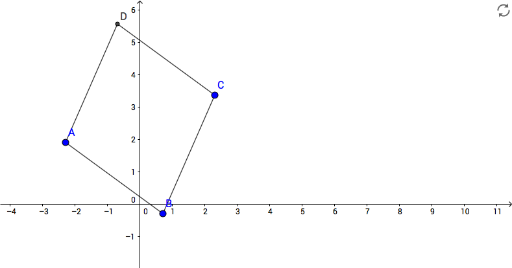
This example demonstrates the geometric properties and transformations of a parallelogram. It involves core math concepts like the definition of a parallelogram, vectors, coordinate geometry, and transformations. The construction uses GeoGebra commands such as Segment, Line, and Intersect to build the parallelogram and auxiliary lines. Suitable for middle school students and above for learning geometric constructions and properties, as well as high school transformations and vectors teaching.
GeoGebra Commands & Parameters
Segment(A, B) → fSegment(B, C) → gLine(A, g) → hLine(C, f) → iIntersect(h, i) → DSegment(D, C) → jSegment(A, D) → k
AI Drawing Prompt Reference
Draw a parallelogram by starting with one side, then draw another side from the endpoint of the first. Next, draw two auxiliary lines from the starting point of the first side to the endpoint of the second and from the endpoint of the first to the starting point of the second. The intersection of these lines gives the fourth vertex of the parallelogram. Finally, connect this vertex to the other two endpoints to complete the shape.
The prompt above was compiled from the original drawing commands and is for reference only.