
Parallelogram by JennyNatcha
Loading the math board and drawing, please wait…
In collections
Area of Polygons
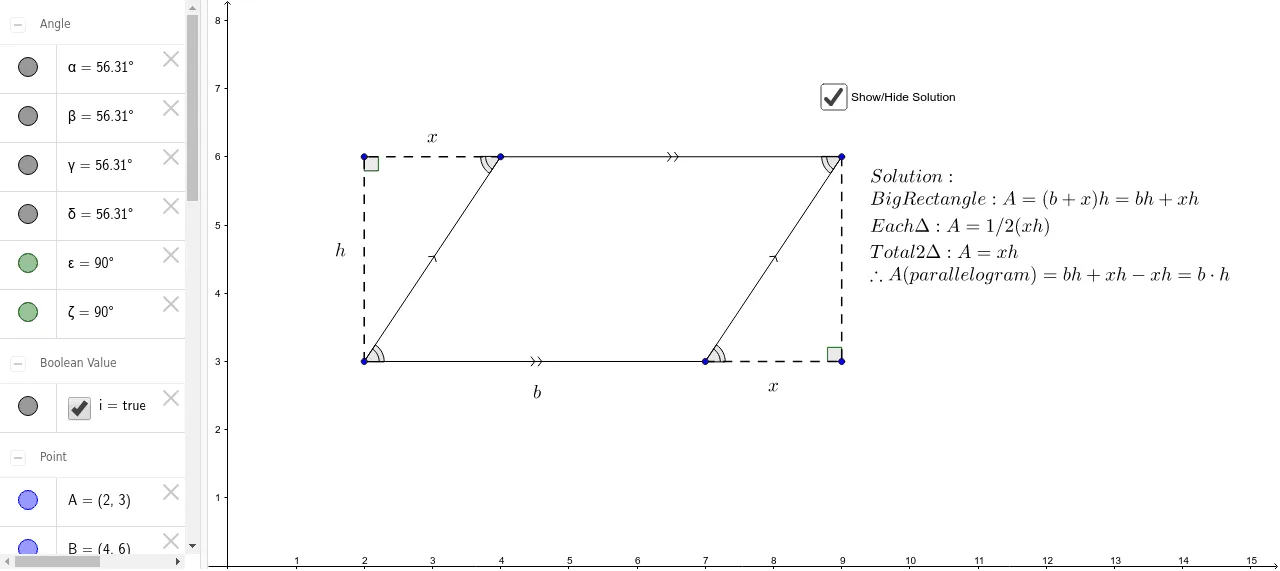
This example demonstrates the construction and properties of a parallelogram. It involves core mathematical concepts such as parallel lines, diagonals, central symmetry, and vectors. The construction uses commands like Segment and Angle, with objects A, B, a, C, D, b, c, d, etc., to build the parallelogram and auxiliary elements. Suitable for high school mathematics teaching to understand geometric properties and vector representation of parallelograms.
GeoGebra Commands & Parameters
Segment(A, B) → aSegment(C, D) → bSegment(B, D) → cSegment(A, C) → dSegment(B, E) → eSegment(A, E) → fSegment(D, F) → gSegment(C, F) → hAngle(E, B, A) → αAngle(C, A, B) → βAngle(B, D, C) → γAngle(F, C, D) → δAngle(A, E, B) → εAngle(D, F, C) → ζ
AI Drawing Prompt Reference
Draw a parallelogram by first creating two parallel and equal line segments as adjacent sides, then connecting their endpoints to form the opposite sides, demonstrating that opposite sides are parallel and equal in length. Next, draw the diagonals and mark their intersection point to show that the diagonals bisect each other. Finally, represent the sides and diagonals of the parallelogram as vectors and label the angles, illustrating the central symmetry and angle relationships of the parallelogram.
The prompt above was compiled from the original drawing commands and is for reference only.