
Parabola Transformations
Loading the math board and drawing, please wait…
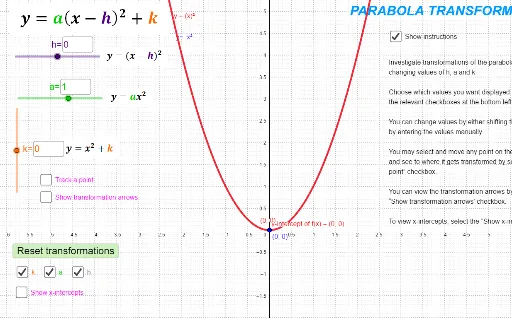
This example demonstrates transformations of the parabola, involving key mathematical concepts such as geometric transformations and function graphs. Using GeoGebra commands like TextField, Extremum, Intersect, etc., it dynamically shows the translation and dilation of the parabola. Suitable for high school mathematics education and learning.
GeoGebra Commands & Parameters
Textfield(a) → InputBox1Textfield(k) → InputBox2Textfield(h) → InputBox3Extremum(f) → CIntersect(f, yAxis) → DRoot(B1) → BExtremum(B1) → FIntersect(B1, yAxis) → GPoint(B1) → M0Vector(M0, M1) → Transform_hVector(M1', M2') → Transform_aVector(M2', M1') → Transform_{kk}Vector(M2, M3) → Transform_kRoot(f) → A, E
AI Drawing Prompt Reference
Draw a parabola y=x^2, then adjust its translation and stretching using input boxes. First, enter the translation amount h to translate the parabola; then enter the stretching coefficient k to stretch the parabola; finally, enter the angle a to rotate the parabola. Show the parabola's vertex, its intersection with the y-axis, and the key transformation vectors.
The prompt above was compiled from the original drawing commands and is for reference only.