
Pair of Tangents Construction
Loading the math board and drawing, please wait…
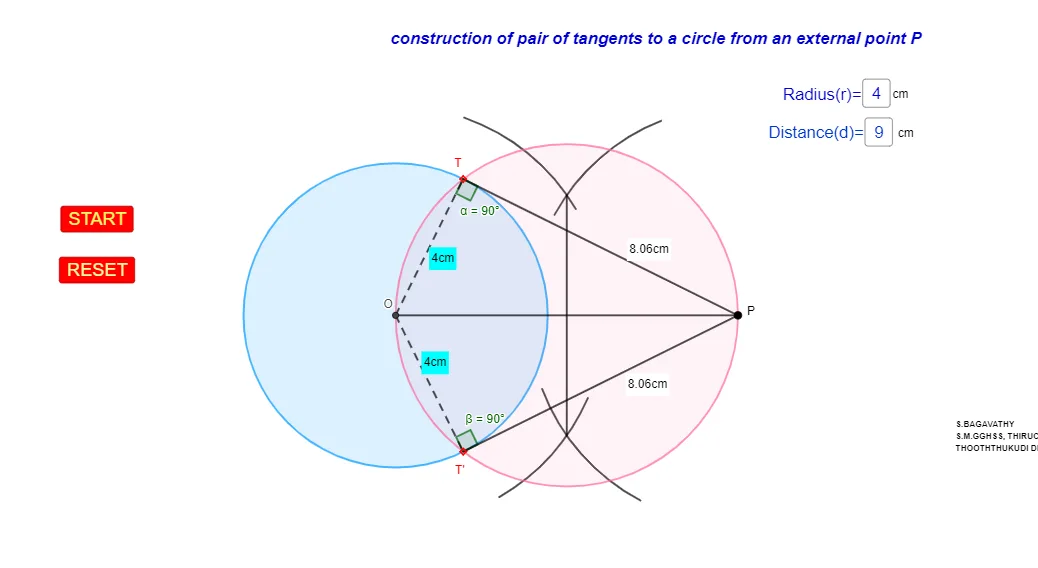
This example demonstrates the construction of tangent lines to a circle and related geometric properties. It involves core math concepts like circles, tangents, angles, and distance calculations. GeoGebra commands used include Intersect, Circle, Point, Segment, CircleArc, Midpoint, Textfield, Distance, and Angle. Suitable for high school students learning analytical geometry and geometric constructions.
GeoGebra Commands & Parameters
Intersect(xAxis, yAxis) → OCircle(O, r) → cPoint(Circle[O, d]) → PSegment(O, P) → fPoint({f / 2 + 1, 0}) → ACircle(O, Segment[A, O]) → eCircle(P, Segment[A, O]) → gIntersect(e, g, 1) → BIntersect(e, g, 2) → CSegment(B, C) → hPoint(g) → DPoint(g) → ECircleArc(P, D, E) → kPoint(g) → FPoint(g) → GCircleArc(P, F, G) → pPoint(e) → HPoint(e) → ICircleArc(O, H, I) → qPoint(e) → JPoint(e) → KCircleArc(O, J, K) → sMidpoint(B, C) → MCircle(M, Segment[M, O]) → tIntersect(c, t) → T, T', ,Segment(T, P) → iSegment(P, T') → jCircle(P, 0) → c_1Segment(O, T) → lSegment(O, T') → mTextfield(r) → InputBox1Textfield(d) → InputBox2Distance(P, T) → distancePTDistance(P, T') → distancePT'Angle(O, T, P) → αAngle(P, T', O) → βDistance(O, T) → distanceOTDistance(O, T') → distanceOT'Circle(O, r) → d_1
AI Drawing Prompt Reference
Draw a circle O and a point P, draw two radii from O to P, then draw two tangents from P to circle O, touching the circle at points B and C, and connect B and C to form the tangent segment h. Next, draw the diameter of circle O, intersecting circle O at points T and T', and connect P to T and T' to form line segments i and j. Finally, draw the diameter of circle O, intersecting circle P at point M, forming circle t, and intersecting circle O at points T and T', forming line segments l and m.
The prompt above was compiled from the original drawing commands and is for reference only.