
Cuboid and Its Rotation – GeoGebra Dynamic Geometry Demonstration
Loading the math board and drawing, please wait…
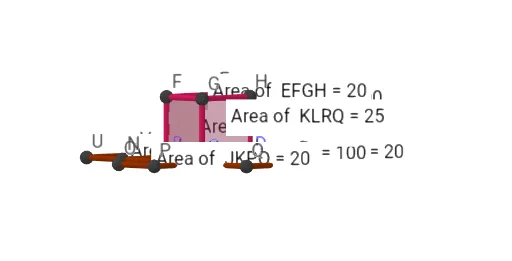
This GeoGebra example dynamically illustrates a cuboid and its rotation. Users can explore the six faces of the cuboid as they unfold into a net, adjust edge lengths a, b, c via sliders, and observe the volume change in real time. Core mathematical concepts include solid geometry (polyhedron, faces, edges), volume calculation, rotation transformation, and coordinate algebra. The construction employs GeoGebra commands such as Polygon, Prism, Net, PointIn, and Volume, creating objects like vertices A, B, C, D, faces faceABFE, edges edgeAE, and a rotation parameter q1. It is intended for high‑school and college students, supporting lessons on three‑dimensional geometry, spatial reasoning, and dynamic geometry exploration.
GeoGebra Commands & Parameters
Polygon(A, B, C, D) → q1, a, b, c, dPrism(q1, a) → e, E, edgeAE, edgeBF, edgeCG, edgeDH, edgeEF, edgeFG, edgeGH, edgeEH, F, G, H, faceABFE, faceBCGF, faceCDHG, faceADHE, faceEFGHNet(e, f) → g, I, R, S, T, U, V, faceIJKL, faceIJNM, faceJKPO, faceKLRQ, faceILST, J, faceMNUV, edgeIJ, edgeJK, edgeKL, edgeIL, edgeIM, edgeMN, edgeJN, edgeJO, edgeOP, K, edgeKP, edgeKQ, edgeQR, edgeLR, edgeLS, edgeST, edgeIT, edgeNU, edgeUV, edgeMV, L, M, N, O, P, QPointIn(faceKLRQ) → PointfaceKLRQPointIn(faceJKPO) → PointfaceJKPOPointIn(faceIJNM) → PointfaceIJNMPointIn(faceMNUV) → PointfaceMNUVPointIn(faceILST) → PointfaceILSTPointIn(faceABFE) → PointfaceABFEPointIn(faceEFGH) → PointfaceEFGHPointIn(faceADHE) → PointfaceADHEVolume(e) → volumeePointIn(e) → Pointe_1Volume(e) → hPointIn(e) → Pointe
AI Drawing Prompt Reference
Draw a cuboid with a quadrilateral base, showing all six faces. Use sliders to adjust its length, width, and height, and observe the volume changing in real time. Unfold the cuboid into a net, displaying all six faces with their corresponding vertices and edges. Place a point on each face to mark it, and also place points inside the net and the cuboid to show spatial relationships. The overall scene should emphasize the dynamic rotation and unfolding of the 3D solid, highlighting the correspondence between faces, edges, and vertices.
The prompt above was compiled from the original drawing commands and is for reference only.