
Orthodromic Distance Between Two Points
Loading the math board and drawing, please wait…
In collections
On Sphere
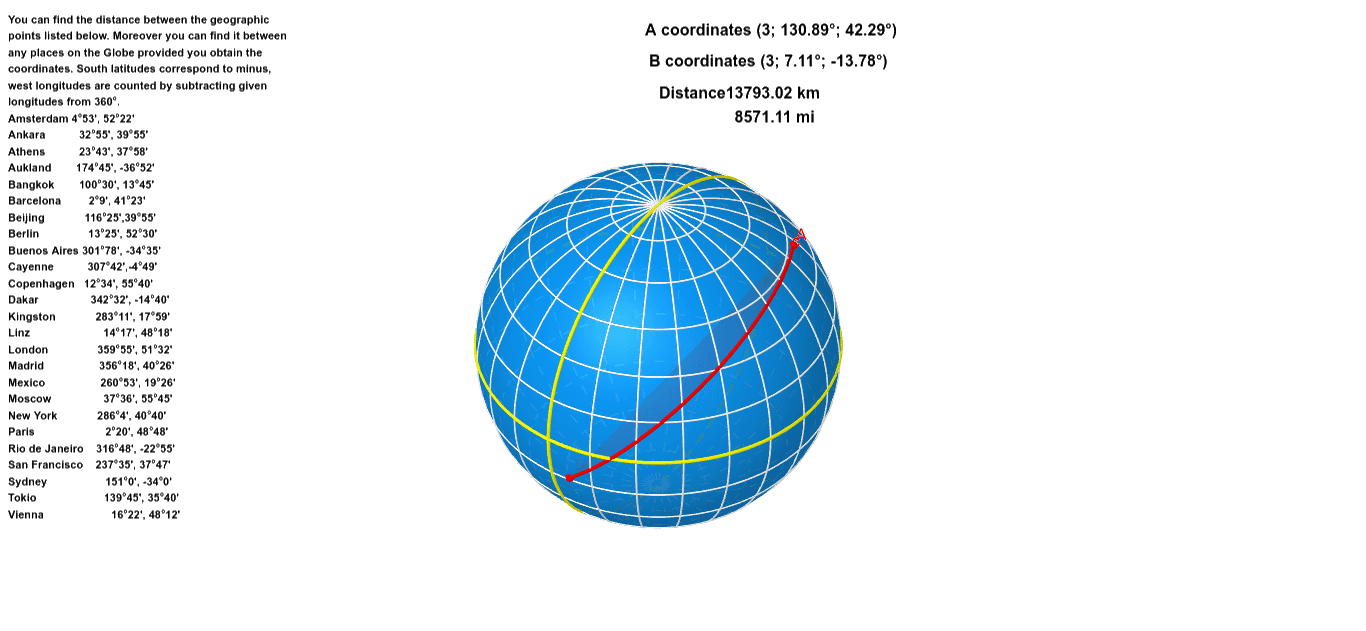
This example demonstrates how to calculate the orthodromic distance between two geographical points. Key mathematical concepts include spherical geometry and trigonometry. Using GeoGebra commands such as Sphere, CurveCartesian, Sequence, PointIn, and CircleArc, the construction of the great circle path is illustrated. Suitable for high school and above students or teachers.
GeoGebra Commands & Parameters
Sphere((0, 0), 3) → aCurveCartesian((3 * sin(t)), 0, (3 * cos(t)), t, 0, 6.28319) → bSequence(CurveCartesian[((3 * cos((π / 12 * n))) * sin(t)), ((3 * cos((π / 12 * n))) * cos(t)), (-3 * sin((π / 12 * n))), t, 0, 6.28319], n, 0, 6) → list1Sequence(Rotate[b, (π / 12 * n), zAxis], n, 1, 12) → list2Sequence(CurveCartesian[((3 * cos((π / 12 * n))) * sin(t)), ((3 * cos((π / 12 * n))) * cos(t)), (3 * sin((π / 12 * n))), t, 0, 6.28319], n, 0, 6) → list1_1CurveCartesian((3 * sin(t)), (3 * cos(t)), 0, t, 0, 6.28319) → b_1PointIn(a) → APointIn(a) → BCircleArc((0, 0), A, B) → c
AI Drawing Prompt Reference
Draw the great circle path between two points on the Earth's surface. Start by drawing a sphere with a radius of 3, then draw a great circle on the sphere. Next, use rotation and sequence to generate 12 great circles, simulating the Earth's surface. Finally, construct a great circle arc between points A and B on the sphere to represent the shortest path between the two points.
The prompt above was compiled from the original drawing commands and is for reference only.