
Open Middle Logarithm Exercises: Guided Graphing of Log Functions
Loading the math board and drawing, please wait…
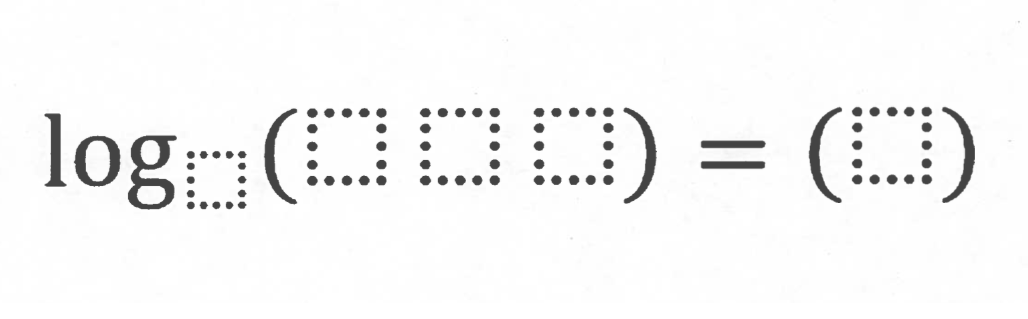
This GeoGebra example uses an “open middle” exercise format to let learners explore how a logarithmic function responds to specific inputs (e.g., natural-number values) and how those values appear on the function graph. It centers on key ideas such as logarithmic functions, the inverse relationship between exponentials and logarithms, the domain/range considerations that govern valid inputs, and interpreting the graph to understand function behavior. Construction-wise, the exercise is organized around core GeoGebra objects listed in the construct summary: points/parameters represented by A and B (serving as controllable inputs or reference points) and pic1 as the main display area for the plotted logarithm graph. Learners progressively complete the missing parts by linking the numeric/logarithmic relationship to the visual graph. Suitable for secondary school advanced study and introductory pre-university calculus/function units, and also for classroom inquiry and differentiated practice.
GeoGebra Commands & Parameters
Point A(-16.635889873001837, 3.5399056865940963)A + (30, 0)
AI Drawing Prompt Reference
Plot a logarithmic function graph on the coordinate plane, with the curve approaching the y-axis from the left but never crossing it, then extending infinitely toward the upper right. Place a movable control point A near or on the function curve at approximately coordinate (-16.6, 3.5). Create another reference point by shifting this point horizontally 30 units to the right, demonstrating a horizontal translation relationship. Use these two control points to explore the domain constraints of logarithmic functions (x>0) and the distribution of function values, understanding how logarithmic functions increase with larger inputs but with diminishing growth rate.
The prompt above was compiled from the original drawing commands and is for reference only.