
One-step Equations Practice
Loading the math board and drawing, please wait…
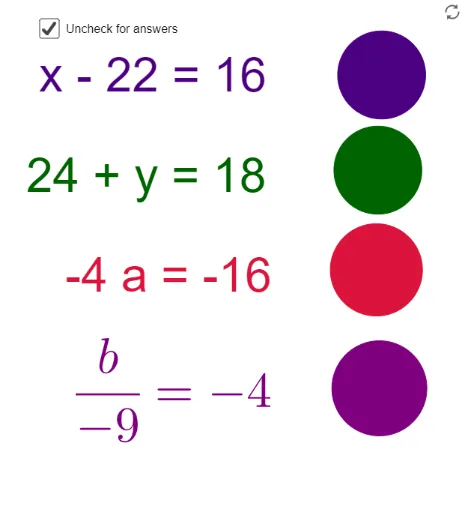
This example demonstrates the solving process of one-step equations, helping users understand the geometric meaning of solutions through dynamic interaction. Key math concepts include equation solutions, variable solving, and algebraic operations. GeoGebra commands and objects used in construction are Random (random number generation), Sum (sum), Product (product), Circle (drawing circles), and objects like a, b, c, d, e, f, g, h, i, j, k, l. Suitable for middle school and above students for auxiliary teaching and practice on equation solving.
GeoGebra Commands & Parameters
Random(4, 24) → aRandom(4, 24) → bSum({a, b}) → cRandom(4, 24) → dRandom(4, 24) → eSum({e, (-d)}) → fRandom(-12, 12) → gProduct({g, h}) → iProduct({g, j}) → kCircle(A, B) → pCircle(C, D) → qCircle(E, F) → rCircle(G, H) → s
AI Drawing Prompt Reference
Draw a figure with five circles, where the radius of each circle is determined by the variable g, which is randomly generated between -12 and 12. First, draw two circles with centers at a and b, and c respectively. Then, draw two more circles with centers at e and -d, and f. Finally, draw two circles with centers at g and h, and j.
The prompt above was compiled from the original drawing commands and is for reference only.