
Obtuse Triangle Construction
Loading the math board and drawing, please wait…
In collections
Area of Polygons
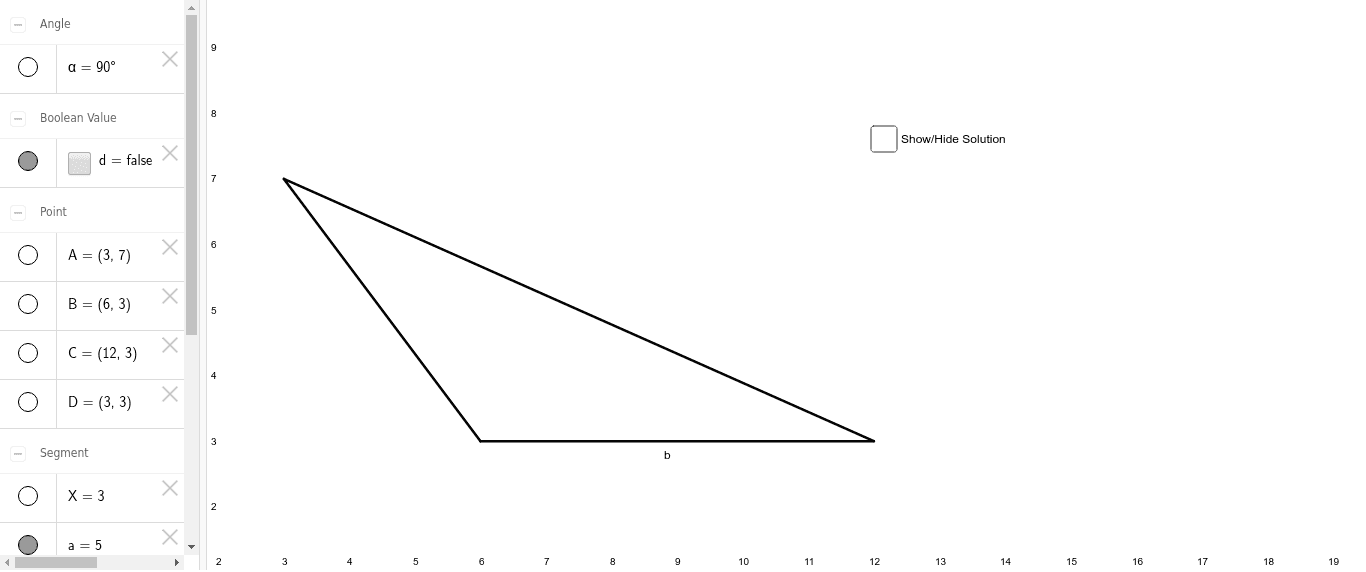
This example demonstrates the geometric construction of an obtuse triangle, focusing on its properties including angles, side lengths, height, and trigonometric functions. It uses commands like Segment and Angle, with objects such as points A, B, C, and measures like a, b, c, h, α. Ideal for high school geometry education and construction learning.
GeoGebra Commands & Parameters
Segment(A, B) → aSegment(C, B) → bSegment(A, C) → cSegment(A, D) → hSegment(D, B) → XAngle(B, D, A) → α
AI Drawing Prompt Reference
Draw an obtuse triangle, labeling its three sides, the perpendicular from one vertex to the opposite side, and the angle at that vertex. Start by drawing two sides, then draw a perpendicular from one endpoint of one side to the other side, and finally measure and label the angle between the perpendicular and the two sides, as well as the lengths of the sides and the perpendicular.
The prompt above was compiled from the original drawing commands and is for reference only.