
Isosceles Triangle and Median Line Demo
Loading the math board and drawing, please wait…
In collections
Geometry of Angles (Student Created)
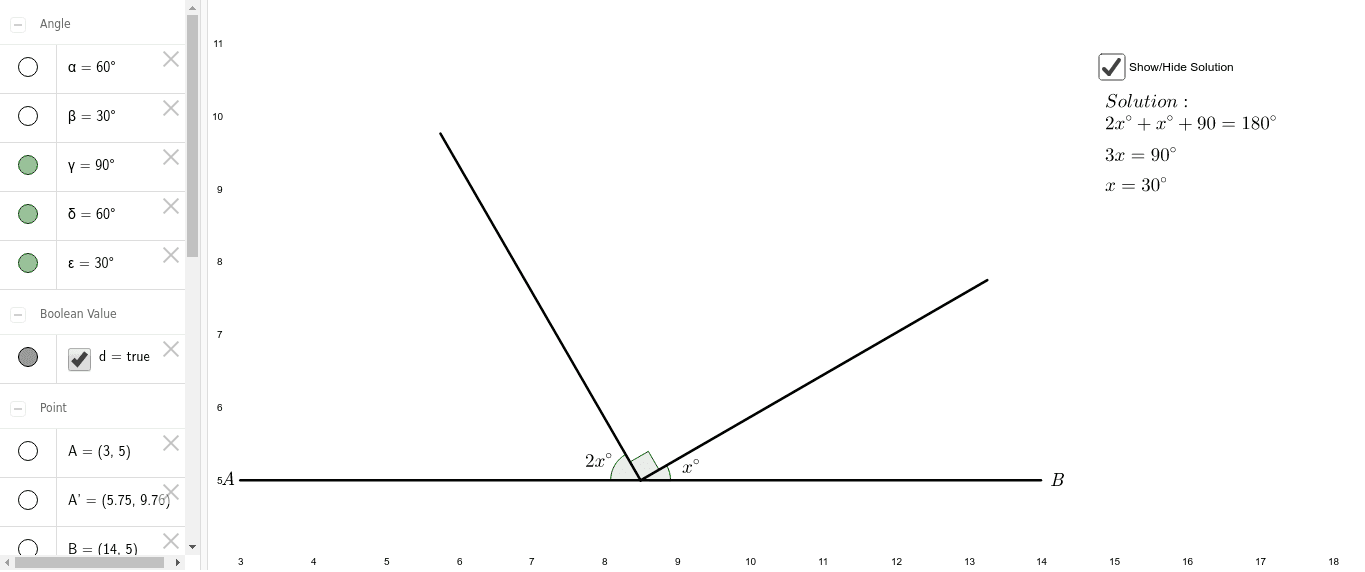
This example demonstrates the properties of isosceles triangles, focusing on the characteristics of the median line and its relation to volume, translation, and interest calculation. Core concepts include isosceles triangles, median lines, volume computation, translation transformations, and interest calculations. Construction involves commands like Segment, Point, Rotate, and Angle, utilizing objects such as A, B, a, C, A', α, b, B', β, c, γ, text elements, and transformations. Suitable for high school mathematics education to understand geometric transformations and spatial geometry concepts.
GeoGebra Commands & Parameters
Segment(A, B) → aPoint(a) → CRotate(A, -60*°, C) → A'Angle(A', C, A) → αSegment(A', C) → bRotate(B, 30*°, C) → B'Angle(B, C, B') → βSegment(C, B') → cAngle(B', C, A') → γAngle(A', C, A) → δAngle(B, C, B') → ε
AI Drawing Prompt Reference
Draw an isosceles triangle with a median line. Start by drawing a base, then draw a perpendicular line from the midpoint of the base to form the median. Rotate one endpoint of the base around the midpoint by 60 degrees to get the apex of the isosceles triangle, and connect the apex to the midpoint. Label all angles and sides, and show the relationship between the median and the base.
The prompt above was compiled from the original drawing commands and is for reference only.