
Obtuse Triangle #3
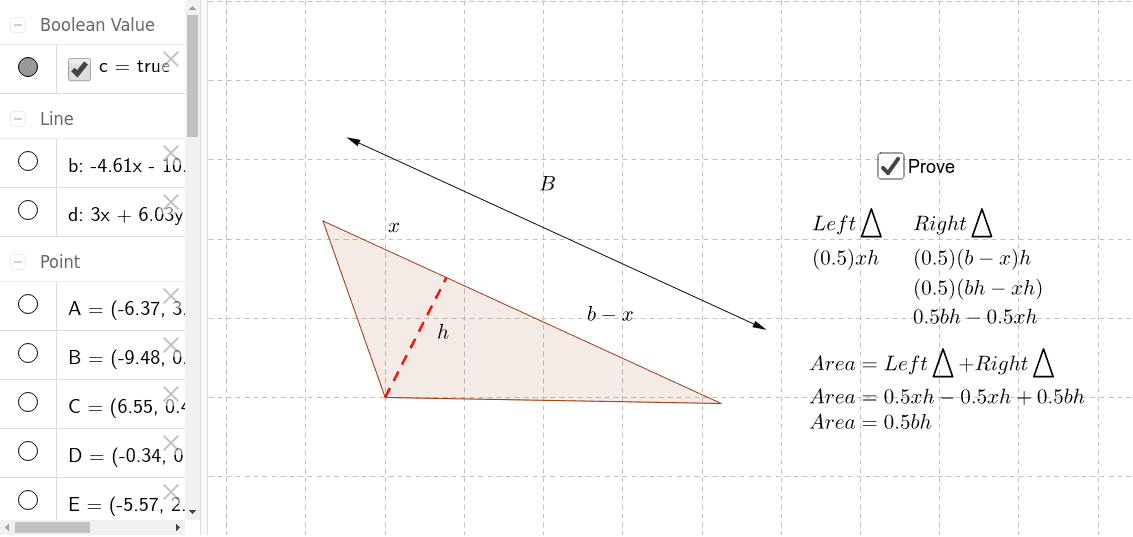
Loading the math board and drawing, please wait…
In collections
Area of Polygons
This example illustrates the properties of an obtuse triangle. Key mathematical concepts include the classification of triangles and the characteristics of obtuse triangles. Using GeoGebra commands such as Line, Polygon, Point, etc., a dynamic obtuse triangle can be constructed and its side lengths and angles can be observed. Suitable for students at the junior high school level and above to learn geometric construction and triangle properties.
GeoGebra Commands & Parameters
Line(A, D) → dPolygon(E, G, H) → poly1, h, e, gPoint(g) → ISegment(G, I) → aLine(K, g) → bPoint(b) → LVector(K, L) → uPoint(b) → MVector(K, M) → v
AI Drawing Prompt Reference
Draw an obtuse triangle, showing its side lengths and angle characteristics, start by drawing three line segments to form the triangle, then mark the vertices and key points of the triangle, finally connect the vertices and key points with line segments to create a dynamic geometric figure, suitable for junior high school students to learn geometric construction and triangle properties.
The prompt above was compiled from the original drawing commands and is for reference only.