
Oblique and Right Prisms
Loading the math board and drawing, please wait…
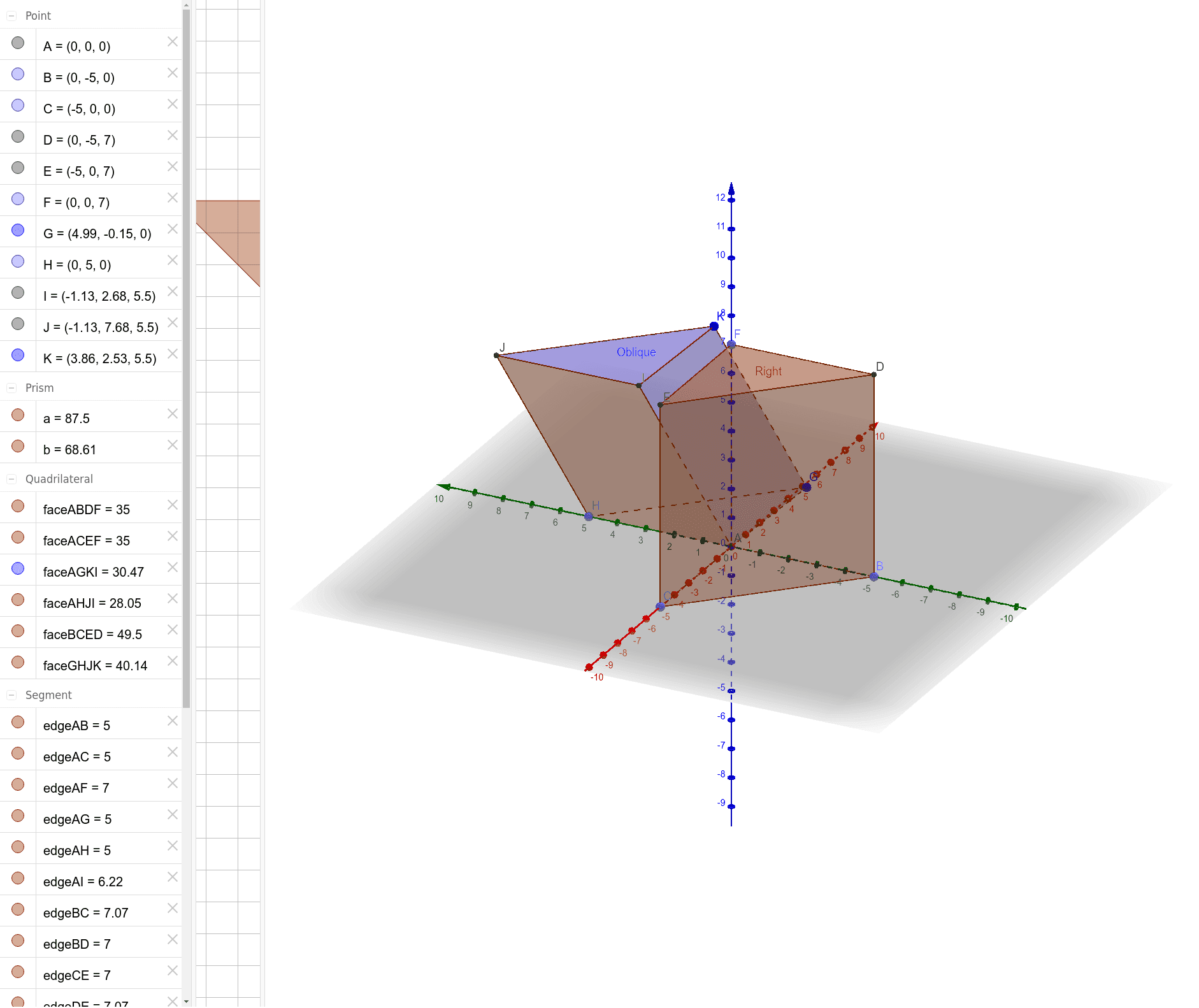
This example illustrates the difference between oblique and right prisms. Key mathematical concepts include the definition and properties of prisms, as well as different types of triangles. Using GeoGebra commands such as Intersect, Point, and Prism, various faces and edges of the prisms can be constructed. Suitable for middle and high school students studying solid geometry.
GeoGebra Commands & Parameters
Intersect(yAxis, zAxis) → APoint(yAxis) → BPoint(xAxis) → CPoint(zAxis) → FPrism(A, B, C, F) → a, D, edgeAC, edgeAF, edgeBD, edgeCE, edgeDF, edgeDE, edgeEF, E, faceABC, faceABDF, faceBCED, faceACEF, Right, edgeAB, edgeBCPoint(yAxis) → HPrism(G, A, H, K) → b, I, edgeGH, edgeGK, edgeAI, edgeHJ, edgeIK, edgeIJ, edgeJK, J, faceAGH, faceAGKI, faceAHJI, faceGHJK, Oblique, edgeAG, edgeAH
AI Drawing Prompt Reference
Draw a right prism and an oblique prism. The right prism has a triangular base AGH and a parallel triangular top IJK. The oblique prism has a triangular base ABC and a non-parallel triangular top DEF. The right prism's side faces are quadrilaterals ABDF, ACEF, and BCED, while the oblique prism's side faces are quadrilaterals AGKI, GHJK, and AHJI.
The prompt above was compiled from the original drawing commands and is for reference only.