
Surface Area of Right Cylinders
Loading the math board and drawing, please wait…
In collections
Surface Area geogebra
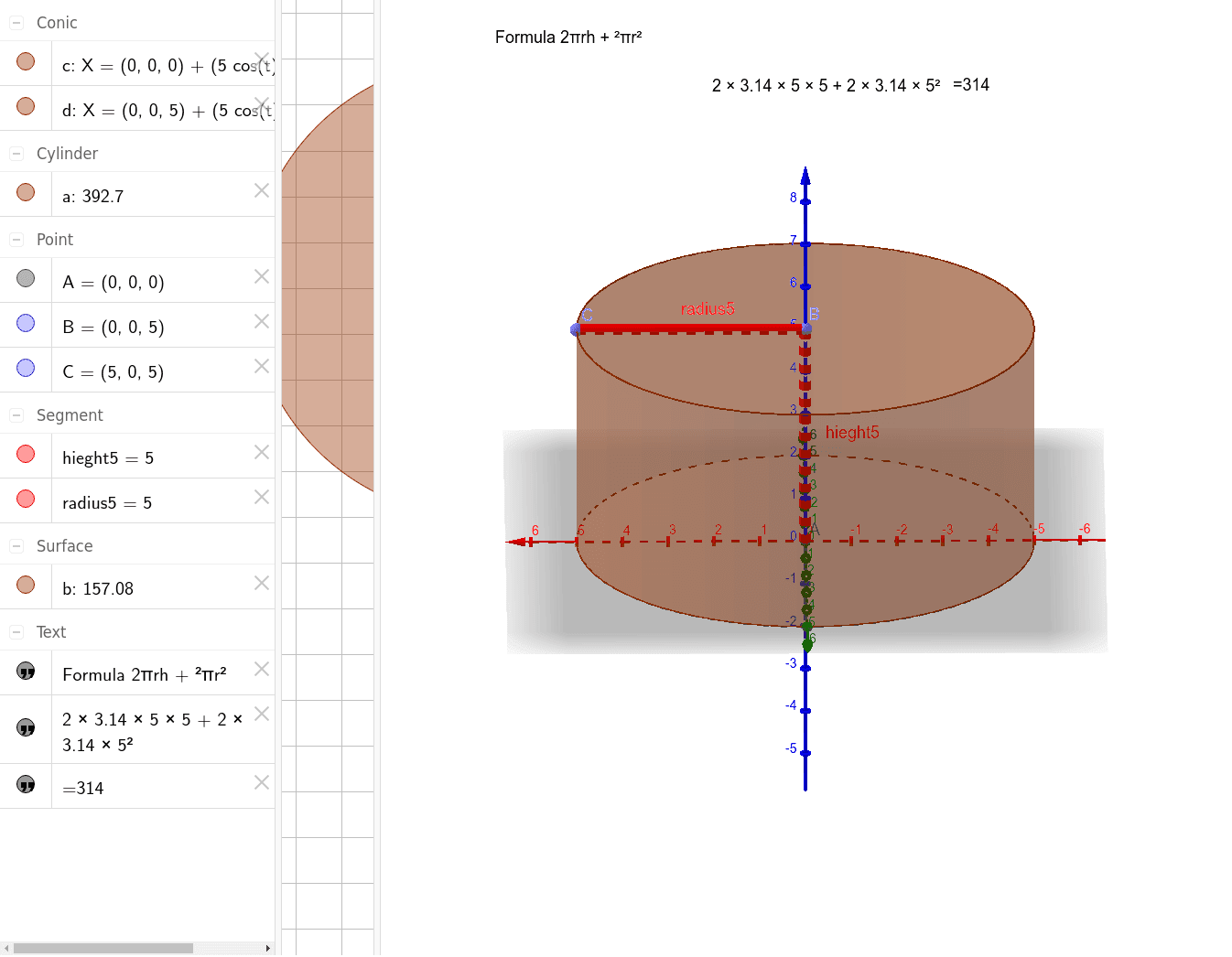
This example demonstrates how to calculate the surface area of a right cylinder. Key mathematical concepts include the geometric features of a cylinder and the area calculation formula. Using GeoGebra commands such as Intersect, Point, and Cylinder, you can dynamically change the radius and height of the cylinder to observe changes in the surface area. Suitable for middle and high school students learning geometry and area calculation.
GeoGebra Commands & Parameters
Intersect(yAxis, zAxis) → APoint(zAxis) → BCylinder(A, B, 5) → a, c, d, bPointIn(Sphere[B, 5]) → CSegment(B, C) → radius5Segment(B, A) → hieght5
AI Drawing Prompt Reference
Draw a right cylinder with its lateral surface and two circular bases. The radius and height of the cylinder can be adjusted to observe how the base area and lateral area change. Start by plotting the intersection point of two coordinate axes, then draw a circle with radius 5 centered at this point as one base of the cylinder. Next, draw a vertical line segment of length 5 from the center of the circle as the height of the cylinder. Finally, calculate the lateral surface area by multiplying the circumference of the base by the height, and the total surface area by adding the areas of the two bases to the lateral surface area.
The prompt above was compiled from the original drawing commands and is for reference only.