
Number of Nets of a Cube
Loading the math board and drawing, please wait…
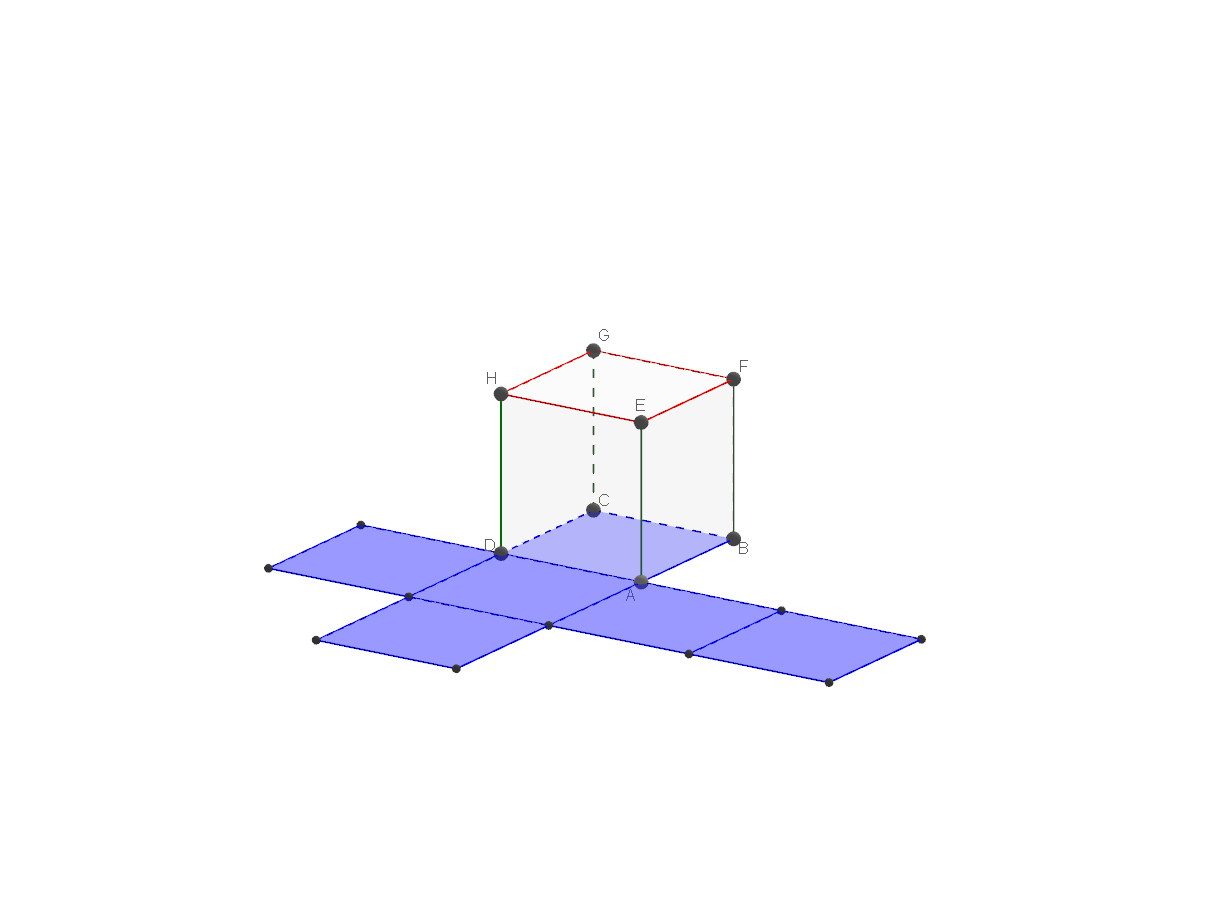
This example demonstrates how to calculate the number of possible nets for a cube. It involves core math concepts like solid geometry, polygon combinations, and spatial visualization. The construction uses GeoGebra commands such as Cube, Polygon, Sequence, and Net, along with numerous points, faces, and edges. Suitable for high school geometry teaching and introductory geometric modeling.
GeoGebra Commands & Parameters
Cube(A, B, xOyPlane) → cube, C, faceBCGF, faceCDHG, faceEFGH, arêteAD, arêteAB, arêteBC, arêteCD, arêteAE, arêteDH, arêteEH, D, arêteEF, arêteBF, arêteFG, arêteCG, arêteGH, E, F, G, H, faceABCD, faceADHE, faceABFEPolygon(A_1, B_1, C_1, D_1) → poly1, a_2, b_2, c_2, d_2Sequence(Segment[Element[fpoint, ii], Element[pointf2, ii]], ii, 1, 12) → segNet(cube, ouverture, Element[seg, 8], Element[seg, 9], Element[seg, 10], Element[seg, 11], Element[seg, 12], faceABCD, Element[seg, 1], Element[seg, 2], Element[seg, 3], Element[seg, 4], Element[seg, 5], Element[seg, 6], Element[seg, 7]) → a, K, T, U, V, W, Z, faceKLMN, faceKNPO, faceKORQ, faceQRTS, faceNPVU, L, faceOPWZ, arêteKN, arêteKL, arêteLM, arêteMN, arêteNP, arêteOP, arêteKO, arêteOR, arêteQR, M, arêteKQ, arêteRT, arêteST, arêteQS, arêteNU, arêteUV, arêtePV, arêtePW, arêteWZ, arêteOZ, N, O, P, Q, R, S
AI Drawing Prompt Reference
Draw the unfoldings of a cube, showing all possible nets. Start by constructing a cube, then create several quadrilaterals connected by segments to form different patterns. Finally, combine these segments and quadrilaterals to create multiple distinct nets of the cube for observation and comparison.
The prompt above was compiled from the original drawing commands and is for reference only.