
Number Line by Tom Carpenter
Loading the math board and drawing, please wait…
In collections
Concrete-Pictorial-Abstract and the Teaching for Mastery
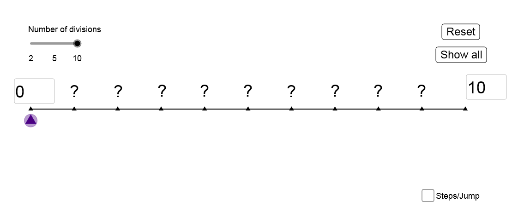
This example demonstrates the creation and manipulation of a number line. It involves core mathematical concepts such as number lines, coordinate representation, and geometric constructions. GeoGebra commands/objects used include Intersect (intersection), Point (point), Segment (segment), Textfield (text field), Midpoint (midpoint), and Sequence (sequence). Suitable for middle school and above mathematics education to understand number lines and coordinate systems.
GeoGebra Commands & Parameters
Intersect(xAxis, yAxis) → APoint(xAxis) → BSegment(A, B) → fTextfield(A1) → InputBox1Textfield(A2) → InputBox2Segment((0, -0.3), (10, -0.3)) → gPoint(g) → LPoint(g) → MSegment(N, O) → hMidpoint(h) → QSequence(Semicircle[(i + 1, -0.7), (i, -0.7)], i, x(L), x(M) - 1, 1) → list3Sequence((i, -0.7), i, x(L + 1), x(M), 1) → list1Sequence((i, -0.7), i, x(L + 2), x(M), 2) → list4Sequence(Semicircle[(i + 2, -0.7), (i, -0.7)], i, x(L), x(M - 1) - 1, 2) → list2Sequence(Semicircle[(i, -0.7), (i - 1, -0.7)], i, x(L), x(M) + 1, -1) → list5Sequence((i, -0.7), i, x(L - 1), x(M), -1) → list6Sequence(Semicircle[(i, -0.7), (i - 2, -0.7)], i, x(L), x(M) + 2, -2) → list8Sequence((i, -0.7), i, x(L) - 2, x(M), -2) → list7