
Number Dial: Skip Counting by 3
Loading the math board and drawing, please wait…
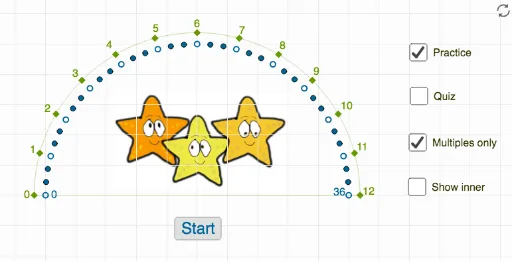
This interactive GeoGebra example demonstrates skip counting by 3 using a number dial. The core mathematical concept is arithmetic sequences, where each step adds a constant value of 3, generating the sequence 3, 6, 9, 12, etc. The construction uses commands such as Point, Intersect, If, Textfield, Vector, and CircleSector to build a circular dial interface with multiple point objects (A1 to A36) marking number positions)Skip counting is visualized dynamically through a text input and conditional logic. This resource is ideal for elementary students learning multiplication and number patterns, as well as middle schoolers exploring arithmetic sequences. The dial provides an engaging, hands-on way to understand repeated addition and the structure of multiples.
GeoGebra Commands & Parameters
Point(xAxis) → APoint(xAxis) → BIntersect(xAxis, yAxis) → CIf(i ≟ 1, (3 * Random[0, 12]), Random[0, 36]) → aTextfield(empty) → InputBox1Vector((0, 0), ((0.95 * cos(π - (a * π / 36))), (0.95 * sin(π - (a * π / 36))))) → uCircleSector(C, E_2, Q_1) → pCircleSector(C, B, A) → k