
Normal Unit Vector on Orientable Surface
Loading the math board and drawing, please wait…
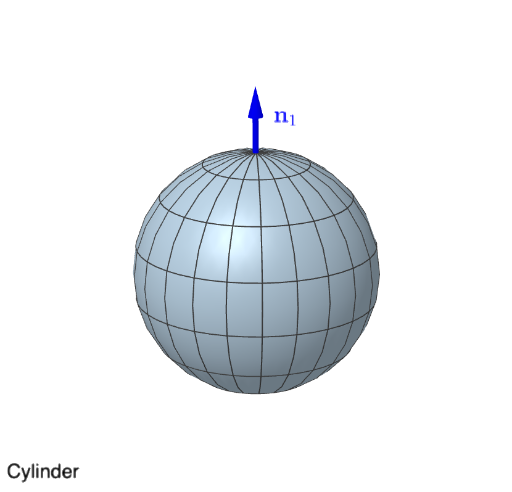
This example demonstrates how to compute and visualize the normal unit vector on an orientable surface, involving core math concepts like vector calculus, surface normals, unit vector calculations, and parametric surfaces. Key GeoGebra commands and objects used in the construction include Polygon, If, Derivative, Surface, and Translate. Suitable for university students in mathematics or physics, and learners interested in vector calculus and surface geometry.
GeoGebra Commands & Parameters
Polygon((0, 0), ((2 * pi), 0), ((2 * pi), pi), (0, pi)) → Region, f, g, h, iIf(op ≟ false, ((size * sin(y)) * cos(x)), (size * cos(x)) + (0 * y)) → FIf(op ≟ false, ((size * sin(y)) * sin(x)), (size * sin(x)) + (0 * y)) → GDerivative(F, x) → dFxDerivative(F, y) → dFyDerivative(G, x) → dGxDerivative(G, y) → dGyIf(op ≟ false, (size * cos(y)) + (0 * x), ((0.5 * size) * y) + (0 * x)) → HDerivative(H, x) → dHxDerivative(H, y) → dHySurface(F(u, v), G(u, v), H(u, v), u, 0, (2 * pi), v, 0, pi) → MobiusTranslate(Vector[(0, 0, 0), B], A) → uTranslate(Vector[(-Vector[(0, 0, 0), B])], A) → v
AI Drawing Prompt Reference
Draw the normal unit vector on a Möbius strip. Start by drawing a quadrilateral as the base, then define parametric equations for the Möbius strip surface. Compute the partial derivatives in the x and y directions to facilitate the calculation of the normal vector. Finally, calculate and visualize the normal unit vector.
The prompt above was compiled from the original drawing commands and is for reference only.