
Nets of a Tetrahedron
Loading the math board and drawing, please wait…
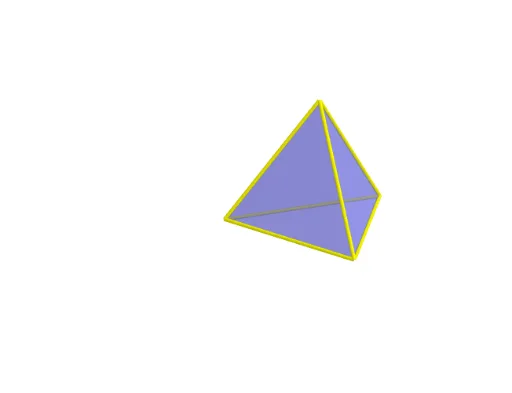
This example demonstrates the nets of a tetrahedron, involving basic concepts in solid geometry. Using GeoGebra commands such as Tetrahedron and IntersectPath, the structure of the tetrahedron can be visually understood. Suitable for students at the junior high school level and above.
GeoGebra Commands & Parameters
Tetrahedron(A, B, xOyPlane) → a, C, edgeAD_1, edgeCD, edgeBD_1, D, faceABC, faceACD, faceABD, faceBCD, edgeAC, edgeAB, edgeBCTetrahedron(D, B, xOyPlane) → c, E, edgeDF, edgeEF, edgeBF, F, faceBDE, faceDEF, faceBDF, faceBEF, edgeDE, edgeBD_2, edgeBEOrthogonalPlane(D, edgeAB) → dIntersectPath(d, xOyPlane) → eIntersectPath(d, faceABD) → fIntersect(d, faceABD) → I, JAngle(f, e) → αRotate(faceABD, (t * α), edgeAB) → faceABD'OrthogonalLine(D, xOyPlane) → gRotate(faceABD', 120°, g) → faceABD''Rotate(faceABD'', 120°, g) → faceABD'''Polygon(A, B, C) → poly1, c_1, a_1, b_1Rotate(D, (t * α), edgeAB) → D'Rotate(A, (t * α), edgeAB) → A'Segment(D', A') → hRotate(Rotate[faceACD, (t * α), edgeAB], (-((t * α))), h) → faceACD''Rotate(Segment[Rotate[C, (t * α), edgeAB], Rotate[D, (t * α), edgeAB]], (-((t * α))), h) → iRotate(Rotate[Rotate[faceBCD, (t * α), edgeAB], (-((t * α))), h], (t * α), i) → poly2Rotate(Rotate[Rotate[C, (t * α), edgeAB], (-((t * α))), h], (t * α), i) → KRotate(Rotate[Rotate[B, (t * α), edgeAB], (-((t * α))), h], (t * α), i) → LSegment(K, A) → jSegment(K, D') → kSegment(D', L) → lSegment(L, K) → mSegment(D', B) → nRotate(D', 120°, g) → D''Rotate(D', (-(120°)), g) → D''_1Segment(D', B) → pSegment(B, D'') → qSegment(D'', C) → rSegment(C, D''_1) → sSegment(D''_1, A) → d_1Segment(A', D') → e_1
AI Drawing Prompt Reference
Draw the net of a tetrahedron. Start by creating a tetrahedron, then use rotation and mirroring operations to generate the net. This involves creating the faces of the tetrahedron, rotating these faces, generating the parts of the net, and finally connecting these parts to form the complete net.
The prompt above was compiled from the original drawing commands and is for reference only.