
Net of Triangular Prism Construction
Loading the math board and drawing, please wait…
In collections
Nets of Solid Figures (Primary 6)
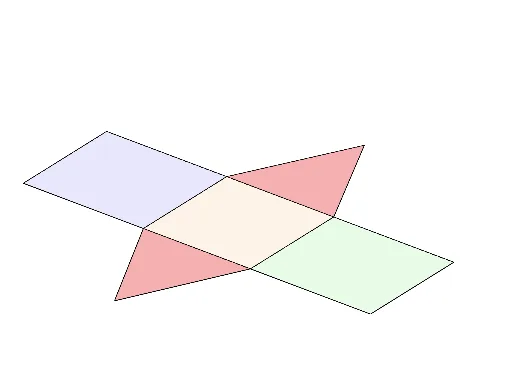
This GeoGebra example demonstrates how to construct the net (unfolded surface) of a triangular prism, enabling students to intuitively understand the surface structure of 3D solids. The core mathematical concepts include the structural features of triangular prisms (two triangular bases and three rectangular lateral faces), the relationship between nets and 3D representations, and basic surface area calculation. Construction key points: Use Segment command to draw edges, Point command to create key vertices, Polygon command to form triangular and rectangular faces, Intersect command to find intersections, and Midpoint command to mark edge midpoints. This example is suitable for middle school mathematics curriculum on solid figures and nets, as well as an introduction to high school solid geometry to develop spatial visualization skills.
GeoGebra Commands & Parameters
Segment(B, C) → fPoint(f) → N_1Distance(B, N_1) → BNDistance(N_1, B) → NBDistance(N_1, C) → NCPolygon(A, B, E, D) → poly1, a, b_1, e, dPolygon(G, C, F, H) → poly2, g, c, f_1, h_1Polygon(I, B, C) → poly3, c_1, i, b_2Polygon(J, F, E) → poly4, e_1, j, f_2Polygon(B, E, F, C) → poly5, b_3, e_2, f_3, c_2Segment(A, B) → kSegment(B, C) → lSegment(G, C) → mSegment(D, E) → nIntersect(b_1, n) → KSegment(E, F) → pSegment(F, H) → qMidpoint(h_1) → LPolygon(M, N, O, P) → poly6, m_1, n_1, o_1, p_1