
Net of Hexagonal Prism by S Sharma
Loading the math board and drawing, please wait…
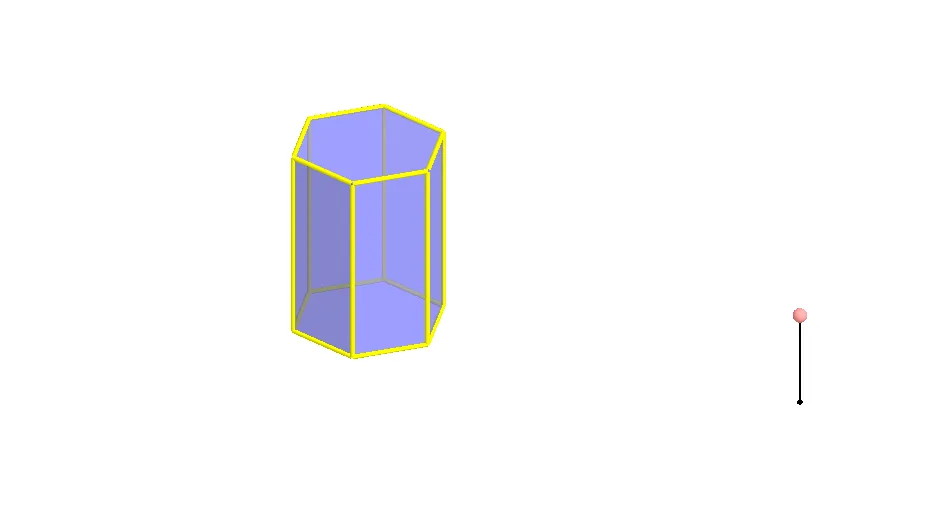
① This example demonstrates the construction and dynamic display of the net of a regular hexagonal prism, visually showing the correspondence between the 3D solid and its 2D unfolded surface. ② Core mathematical concepts include solid geometry of prisms, nets (surface unfolding), polygonal faces, edges and vertices correspondence, and spatial transformations (rotation, reflection) in geometric construction. ③ Construction highlights: using GeoGebra commands such as Polygon, Prism, Segment, Point, Rotate, and Mirror, the example builds the base polygon poly1, six lateral faces (e.g., faceBCHG, faceCDIH, etc.) and edges (edgeBG, edgeCH, etc.), then generates the unfolded planar net via rotation and mirror operations, involving objects like points A, B, C, D, E, F, G, H, I, J, K, L, M. ④ Suitable for middle and high school geometry teaching, helping students understand prism nets, surface area calculation, and spatial visualization skills; also useful as a dynamic geometry resource for classroom demonstration or self-exploration.
GeoGebra Commands & Parameters
Polygon(A, B, 6, xOyPlane) → poly1, a, F, b, c, d, e, f, C, D, EPrism(poly1, A + (0, 0, 4)) → g, G, faceEFKJ, face2, face3, edge1, edgeBG, edgeCH, edgeDI, edgeEJ, edgeFK, edge2, H, edgeGH, edgeHI, edgeIJ, edgeJK, edge3, I, J, K, face1, faceBCHG, faceCDIH, faceDEJISegment(M, M + (0, 0, 2)) → hPoint(h) → NRotate(Polygon[E, D, I, J], (90° * t), Segment[D, E]) → poly2Rotate(Polygon[G, H, I, J, K, L], (90° * t), Segment[I, J]) → poly3Rotate(poly3, (90° * t), Segment[D, E]) → poly3'Rotate(Polygon[C, D, I, H], (60° * t), Segment[D, I]) → poly4Rotate(poly4, (90° * t), Segment[D, E]) → poly4'Mirror(poly4, OrthogonalPlane[Midpoint[D, E], Segment[D, E]]) → poly4'_1Rotate(poly4'_1, (90° * t), Segment[D, E]) → poly5Rotate(C, (60° * t), Segment[D, I]) → C'Mirror(Polygon[D, E, J, I], OrthogonalPlane[Midpoint[D, C'], Segment[D, C']]) → poly6Mirror(poly6, OrthogonalPlane[Midpoint[D, E], Segment[D, E]]) → poly6'Rotate(poly6, (90° * t), Segment[D, E]) → poly6'_1Rotate(poly6', (90° * t), Segment[D, E]) → poly6''Mirror(E, OrthogonalPlane[Midpoint[D, C'], Segment[D, C']]) → E'Mirror(poly4, OrthogonalPlane[Midpoint[E', C'], Segment[E', C']]) → poly4'_2Rotate(poly4'_2, (90° * t), Segment[D, E]) → poly7Rotate(poly3, (90° * t), Segment[D, E]) → poly3'_1Polygon(A, B, 6, xOyPlane) → poly8, i, R, j, k, l, m, n, O, P, QRotate(poly6', (90° * t), Segment[D, E]) → poly6''_1Rotate(poly4'_1, (90° * t), Segment[D, E]) → poly9Rotate(Polygon[E, D, I, J], (90° * t), Segment[D, E]) → poly10Rotate(poly4, (90° * t), Segment[D, E]) → poly4'_3Rotate(poly6, (90° * t), Segment[D, E]) → poly6'_2Rotate(poly4'_2, (90° * t), Segment[D, E]) → poly11
AI Drawing Prompt Reference
Draw the net of a regular hexagonal prism, showing the correspondence between the 3D solid and its 2D unfolded surface. Start by constructing the prism with a hexagonal base, then unfold its lateral faces and top/bottom faces into a flat layout using rotation and mirror transformations, resulting in a net composed of several hexagons and rectangles, clearly displaying the arrangement and connections of the faces to understand the prism's surface unfolding and spatial geometry.
The prompt above was compiled from the original drawing commands and is for reference only.