
Net and Surface Area of Trapezoidal Prism
Loading the math board and drawing, please wait…
In collections
Surface Area Discovery
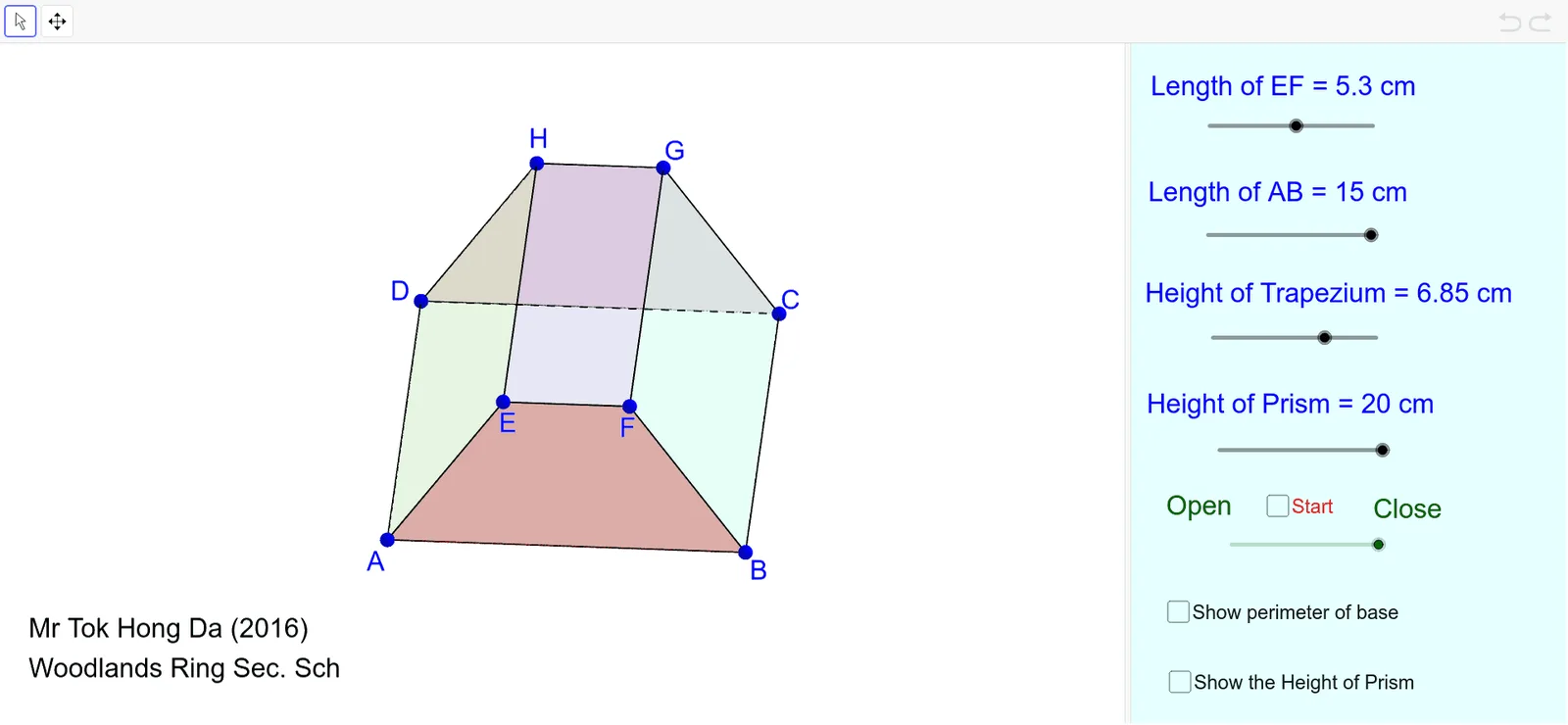
This GeoGebra example demonstrates the net (unfolded 2D pattern) and surface area calculation of a trapezoidal prism (a right prism with trapezoidal bases). It covers core concepts in solid geometry: prism nets, surface area computation, and the Pythagorean theorem (used to find slant heights or diagonal lengths). The construction uses GeoGebra commands such as Polygon to create the trapezoidal bases and rectangular lateral faces, Segment for edges, and Intersect/Midpoint to define key vertices and midpoints. Objects like α, a, h, b, hyp represent dimensions and heights, allowing dynamic adjustment to explore how the net and surface area change. Suitable for middle and high school students learning solid geometry, surface area, and Pythagorean theorem applications, as well as for teacher demonstrations or student self-exploration.
GeoGebra Commands & Parameters
Polygon(A, E, H, D) → poly1, a_1, e, h_1, dPolygon(E, F, G, H) → poly2, e_1, f, g, h_2Polygon(I, B, C, J) → poly3, i, b_1, c, jPolygon(A, K, L, B) → poly4, a_2, k, l, b_2Polygon(M, N, C, D) → poly5, m, n, c_1, d_1Segment(G, H) → pSegment(H, D) → qSegment(C, J) → f_1Segment(F, E) → g_1Segment(E, A) → i_1Segment(B, I) → m_1Segment(D, C) → rSegment(A, B) → sIntersect(b_1, f_1) → OIntersect(d, r) → PPolygon(D, A, B, C) → poly6, d_2, a_3, b_3, c_2Midpoint(j) → QPolygon(R, S, T, U) → poly7, r_1, s_1, t_1, u_1
AI Drawing Prompt Reference
Draw the net and calculate the surface area of a trapezoidal prism. Start by creating two parallel trapezoids for the bases, then connect corresponding vertices to form four rectangular lateral faces, making up the unfolded net. Label key dimensions like base lengths, height, and slant heights, and use them to compute and display the surface area. Allow dynamic adjustment of dimensions to see how the net and area change.
The prompt above was compiled from the original drawing commands and is for reference only.