
Negative Number Addition GeoGebra Example
Loading the math board and drawing, please wait…
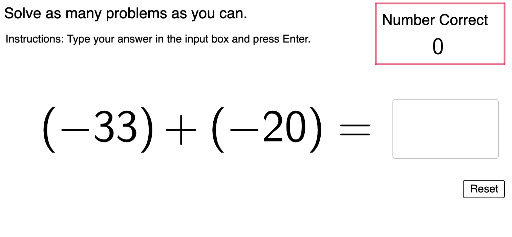
This example demonstrates the calculation and visualization of negative number addition; core math concepts include negative number operations and addition rules; construction highlights involve commands/objects like Polygon, Textfield, TryAnother, Instructions, TallyHeader, Tallybox, f, g, h, i, numcorr, NumCorrDisp, num1, num2, ans, UserText, userans, NewQuestion, InputBox1, FbWrong, QuPt, Question, CheckAns, Num1Display, Num2Display, Instructions2, TallyPt; suitable for middle school mathematics teaching, helping students understand and practice negative number addition.
GeoGebra Commands & Parameters
Polygon((10.7, 7.8), (14.5, 7.8), (14.5, 6), (10.7, 6)) → Tallybox, f, g, h, iTextfield(UserText) → InputBox1
AI Drawing Prompt Reference
Create a teaching diagram for demonstrating negative number addition. Place a rectangular box in the upper right area as a score tally region. Below the box, add a text input field for student answers. Keep the layout clean, emphasizing math education with visual elements for negative number practice, such as number displays and feedback hints. The graphic should clearly show the process of adding negative numbers and leave room for interaction.
The prompt above was compiled from the original drawing commands and is for reference only.