
Multipurpose Templates: Placing Objects
Loading the math board and drawing, please wait…
In collections
Elementary Math Resources
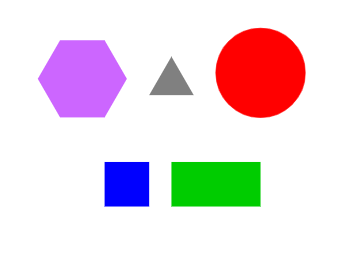
This example demonstrates how to use GeoGebra's multipurpose templates to place and manipulate geometric objects. Key mathematical concepts include circles, polygons, and functions. Using commands like Circle, Polygon, and Point, users can create and adjust various geometric shapes. Suitable for middle school and above students and teachers for geometry construction and function graphing.
GeoGebra Commands & Parameters
Circle(D, 2) → dPolygon(F, G, 4) → poly1, f, g, h, i, H, IPolygon(J, K, 6) → poly2, j, O, k, l, m, n, p, L, M, NPolygon(A, B, 3) → poly3, q, r, s, CPoint(Circle[P, 4]) → QPolygon(P, Q, R, S) → q1, p_1, q_1, r_1, s_1
AI Drawing Prompt Reference
Draw a circle, then create three polygons: a quadrilateral, a hexagon, and a triangle. Add a point on the circle and form a quadrilateral using these points and the circle's point to demonstrate geometric combinations and transformations.
The prompt above was compiled from the original drawing commands and is for reference only.