
Multiplication Practice Interactive Tool
Loading the math board and drawing, please wait…
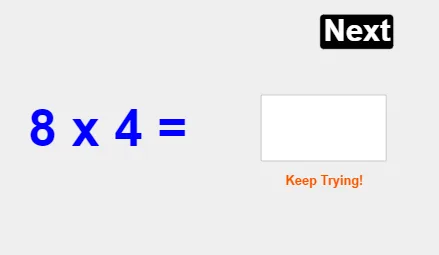
① This example is an interactive drill for practicing multiplication, where two random numbers are generated and the user must enter their product. ② The core mathematical concept is integer multiplication, involving random number generation, user input handling, and correctness checking. ③ Construction highlights: uses GeoGebra commands RandomElement to pick random factors a and b, Textfield and InputBox1 for user input, text1/text2/text3 to display the problem and feedback, button1 to trigger checking, correct variable to track correct answers, and Response object to show results. ④ Suitable for upper elementary or middle school students for mental multiplication practice, and can be used in classrooms for quick exercises or gamified learning.
GeoGebra Commands & Parameters
RandomElement({0, 1, 2, 2, 3, 3, 3, 3, 4, 4, 4, 5, 5, 6, 6, 6, 6, 7, 7, 7, 7, 8, 8, 8, 8, 9, 9, 9, 10}) → aRandomElement({0, 1, 2, 2, 3, 3, 3, 3, 4, 4, 4, 5, 5, 6, 6, 6, 6, 7, 7, 7, 7, 8, 8, 8, 8, 9, 9, 9, 10, 11, 11, 12, 12}) → bTextfield(response) → InputBox1
AI Drawing Prompt Reference
Create an interactive tool for practicing integer multiplication. Randomly generate two numbers as factors, let the user input their product, and display feedback on correctness. Include an input box for the user's answer, text areas to show the problem and results, and a button to submit and check the answer.
The prompt above was compiled from the original drawing commands and is for reference only.