
Circle Fractions: Visualizing Fractions and Ratios with Circle Sectors
Loading the math board and drawing, please wait…
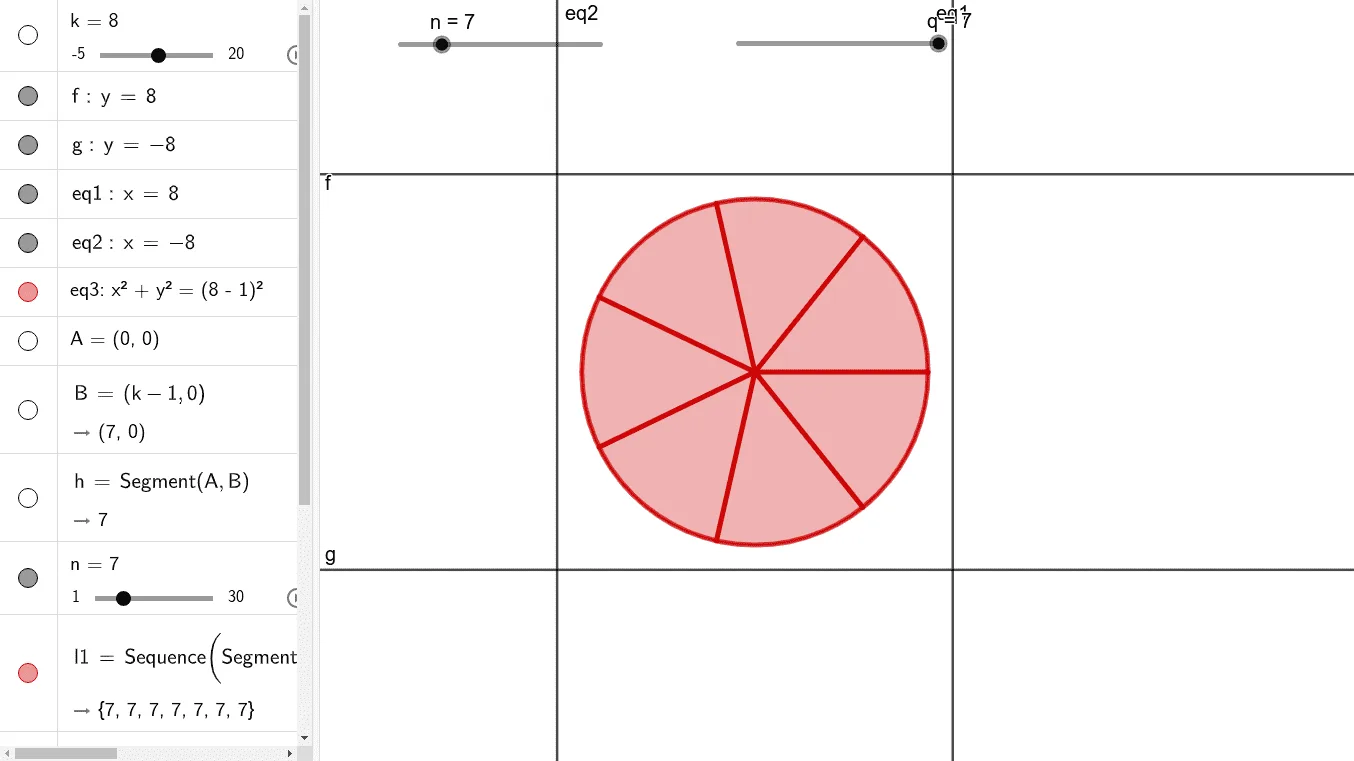
① This example demonstrates how to divide a circle into equal sectors to visualize fractions, ratios, and the relationship between sector area and the whole circle, while also incorporating logarithmic and cosine functions for comparative analysis. ② Core mathematical concepts include fractions, ratios, circle area, sector angles, logarithmic functions, cosine functions, and indefinite integrals, integrating algebra, geometry, and functions. ③ Construction highlights: Using GeoGebra commands such as Segment, Sequence, Rotate, CircleSector, and Circle, the construction involves objects k, f, g, eq1, eq2, eq3, A, B, h, n, l1, q, B', c, d. The parameter n controls the number of divisions, and sectors are generated via rotation and sequence, with scatter plots for data points. ④ Suitable for middle school (fractions, basic geometry) and high school (trigonometry, functions) mathematics, as well as introductory calculus in college. It serves as an interactive tool for classroom demonstrations or student exploration of fraction visualization and the interplay between functions and geometry.
GeoGebra Commands & Parameters
Segment(A, B) → hSequence(Segment[Rotate[A, (w * (360 / n)°)], Rotate[B, (w * (360 / n)°)]], w, 1, n) → l1Rotate(B, (q / n * 360°), A) → B'CircleSector(A, B, B') → cCircle(A, B) → d
AI Drawing Prompt Reference
Draw a circle with a center point and a point on the circumference as the starting radius endpoint. Divide the circle into equal sectors, with the number of divisions controlled by a parameter. Each sector is generated by rotating the radius, and all sectors are evenly arranged around the center. One sector is highlighted to show its area relative to the whole circle. Additionally, include a logarithmic curve and a cosine curve near or inside the circle for comparison. The overall figure visualizes fractions, ratios, sector area versus circle area, and the interplay between functions and geometry.
The prompt above was compiled from the original drawing commands and is for reference only.