
π Decimal Digits Memory Trainer
Loading the math board and drawing, please wait…
In collections
Kreiszahl PI
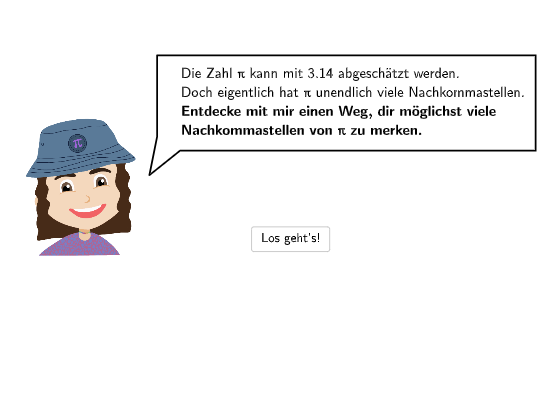
This is an interactive memory trainer for π decimal digits. Students input the decimal digits of π, and the system automatically counts correct digits and provides feedback. The core mathematical concept is π—the ratio of a circle's circumference to its diameter, a constant approximately equal to 3.14159... Construction details: Textfield receives user input, Length calculates input length, Sequence generates number sequences, CountIf counts correct entries, SpeechBubbleLeft displays bubble feedback, with buttons (btnLosgehts start, btnWeiter continue, btnZurueck back, btnNochmal retry) controlling the workflow. Suitable for Grade 7-8 students to understand π and memorizes its decimal digits in a fun way.
GeoGebra Commands & Parameters
SpeechBubbleLeft(PBubblePiaStart, 9.2, 2.1) → bubble1SpeechBubbleLeft(PBubblePia, 8.8, 1.7) → bubble2SpeechBubbleLeft(PBubblePia, 8, 1.7) → bubble3Textfield(inputA) → InputBoxALength(txtInput) → lengthSequence(floor(piNums / 10^(length - i)), i, 1, length) → l1, {1}Sequence(floor(inputA / 10^(length - i)), i, 1, length) → l2, {NaN}Sequence(l1(i) ≟ l2(i), i, 1, length) → equalCountIf(x ≟ true, equal) → anzahlCorrectSequence(floor(((numPi - 3) * 10^(i))), i, 1, 100) → lCorr, {1, 14, 141, 1415, 14159, 141592, 1415926, 14159265, 141592653, 1415926535, 14159265358, 141592653589, 1415926535897, 14159265358979, 141592653589793, 1415926535897931, 14159265358979312, 141592653589793120, 1415926535897931264, 14159265358979312000, 141592653589793110000, 1.415926535897931E+21, 1.415926535897931E+22, 1.4159265358979312E+23, 1.4159265358979314E+24, 1.415926535897931E+25, 1.4159265358979311E+26, 1.4159265358979311E+27, 1.4159265358979313E+28, 1.4159265358979312E+29, 1.415926535897931E+30, 1.4159265358979312E+31, 1.4159265358979311E+32, 1.4159265358979312E+33, 1.4159265358979311E+34, 1.415926535897931E+35, 1.415926535897931E+36, 1.415926535897931E+37, 1.4159265358979313E+38, 1.4159265358979312E+39, 1.4159265358979311E+40, 1.415926535897931E+41, 1.4159265358979313E+42, 1.4159265358979313E+43, 1.4159265358979312E+44, 1.415926535897931E+45, 1.415926535897931E+46, 1.4159265358979312E+47, 1.4159265358979313E+48, 1.4159265358979314E+49, 1.4159265358979311E+50, 1.415926535897931E+51, 1.4159265358979312E+52, 1.4159265358979312E+53, 1.4159265358979312E+54, 1.4159265358979313E+55, 1.4159265358979311E+56, 1.4159265358979313E+57, 1.4159265358979312E+58, 1.415926535897931E+59, 1.4159265358979312E+60, 1.415926535897931E+61, 1.4159265358979312E+62, 1.4159265358979312E+63, 1.415926535897931E+64, 1.415926535897931E+65, 1.4159265358979312E+66, 1.415926535897931E+67, 1.4159265358979312E+68, 1.415926535897931E+69, 1.4159265358979312E+70, 1.4159265358979311E+71, 1.415926535897931E+72, 1.4159265358979312E+73, 1.415926535897931E+74, 1.4159265358979313E+75, 1.4159265358979312E+76, 1.415926535897931E+77, 1.4159265358979311E+78, 1.4159265358979311E+79, 1.415926535897931E+80, 1.415926535897931E+81, 1.4159265358979313E+82, 1.4159265358979314E+83, 1.415926535897931E+84, 1.4159265358979311E+85, 1.4159265358979311E+86, 1.415926535897931E+87, 1.4159265358979312E+88, 1.415926535897931E+89, 1.4159265358979313E+90, 1.4159265358979312E+91, 1.4159265358979313E+92, 1.415926535897931E+93, 1.415926535897931E+94, 1.415926535897931E+95, 1.4159265358979312E+96, 1.4159265358979312E+97, 1.415926535897931E+98, 1.4159265358979312E+99}SpeechBubbleLeft(PBubblePia - (0, 0.5), 10, 2) → bubble4SpeechBubbleLeft(PBubblePia, 10.2, 1.6) → bubble5SpeechBubbleLeft(PBubblePia, 8, 1.6) → bubble6Textfield(input1) → InputBox1Textfield(input2) → InputBox2Textfield(input3) → InputBox3Textfield(input4) → InputBox4Textfield(input5) → InputBox5Textfield(input6) → InputBox6Textfield(input7) → InputBox7Textfield(input8) → InputBox8Textfield(input9) → InputBox9Textfield(input10) → InputBox10Textfield(input11) → InputBox11Textfield(input12) → InputBox12Textfield(input13) → InputBox13Textfield(input14) → InputBox14Textfield(input15) → InputBox15Textfield(input16) → InputBox16Textfield(input17) → InputBox17Textfield(input18) → InputBox18Textfield(input19) → InputBox19Textfield(input20) → InputBox20Defined((((((((((((((((((((input1 * input2) * input3) * input4) * input5) * input6) * input7) * input8) * input9) * input10) * input11) * input12) * input13) * input14) * input15) * input16) * input17) * input18) * input19) * input20)) → definedSpeechBubbleLeft(PBubblePia, 8, 1.6) → bubble7SpeechBubbleLeft(PBubblePia, 10, 1.2) → bubble8
AI Drawing Prompt Reference
Draw a circle with 9 speech bubbles around it. There are input boxes for entering the decimal digits of pi, and the system will automatically check the correctness and provide feedback. Start by drawing a circle, then place 9 speech bubbles around it, and arrange the input boxes above and around the circle for users to input the decimal digits of pi, with the system calculating the correct digits and displaying feedback.
The prompt above was compiled from the original drawing commands and is for reference only.